
Admin tabs everywhere
Every site has its own admin, its own password and its own surprises.
One Dashboard for every site — pending updates included, one click per site.
The webmaster’s WordPress panel
v6.0 AI publishing →One site, a network or none yet: AI writes and publishes posts, prepares forum posts and uploads files to file hosts. The content store, hosting, access orders, uptime, security, backups and dead-link recovery are here too.
tail -f events.log
09:41:02 uptime 42 sites · 41 up · 1 slow
09:41:05 scanner techpulse.blog · 37 dead links
09:41:11 restore 37 files from backup · relinked ✓
09:41:58 publish 12 posts live on 3 sites ✓
09:42:03 agent PageSpeed fix ready · confirm?
09:42:07 dmca notice matched · post hidden ✓
09:42:12 shield Protect WordPress → Cloudflare ✓
09:42:20 backup greenkitchen.net → storage ✓
09:42:31 conveyor 12 videos → screens → upload → AI
09:42:40 uptime dailymetro.news is back up ✓
09:42:46 publish 4 posts live on 2 sites ✓
product tour
Real screens of the panel you get, filled with demo data. Click any screenshot to zoom in.
dashboard & monitoring
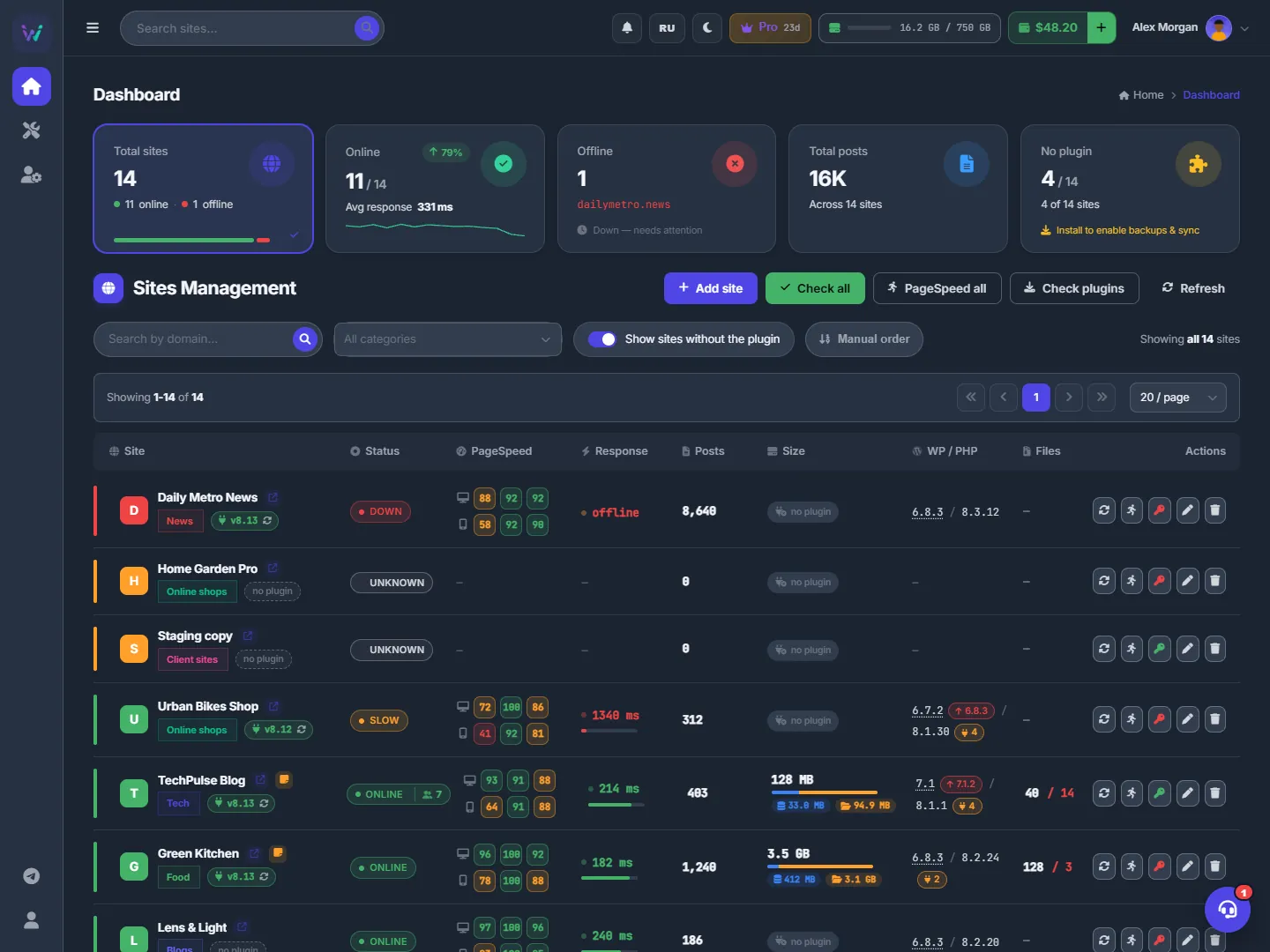
The Dashboard lists all your sites with live status, response time, PageSpeed scores, posts, disk size and WordPress and PHP versions. Down and slow sites float to the top, so the ones that need you are always first.
ai conveyor & publish with ai
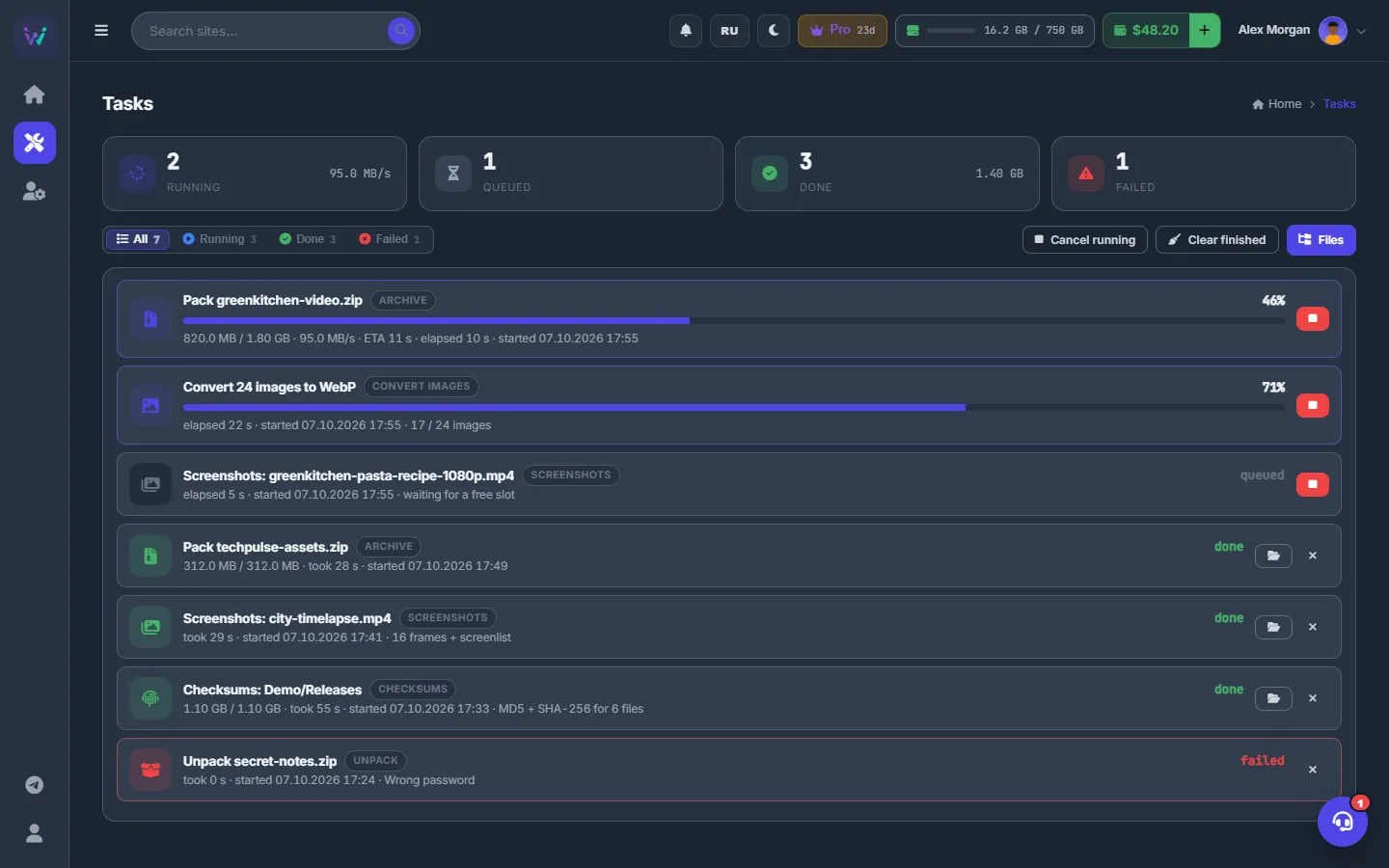
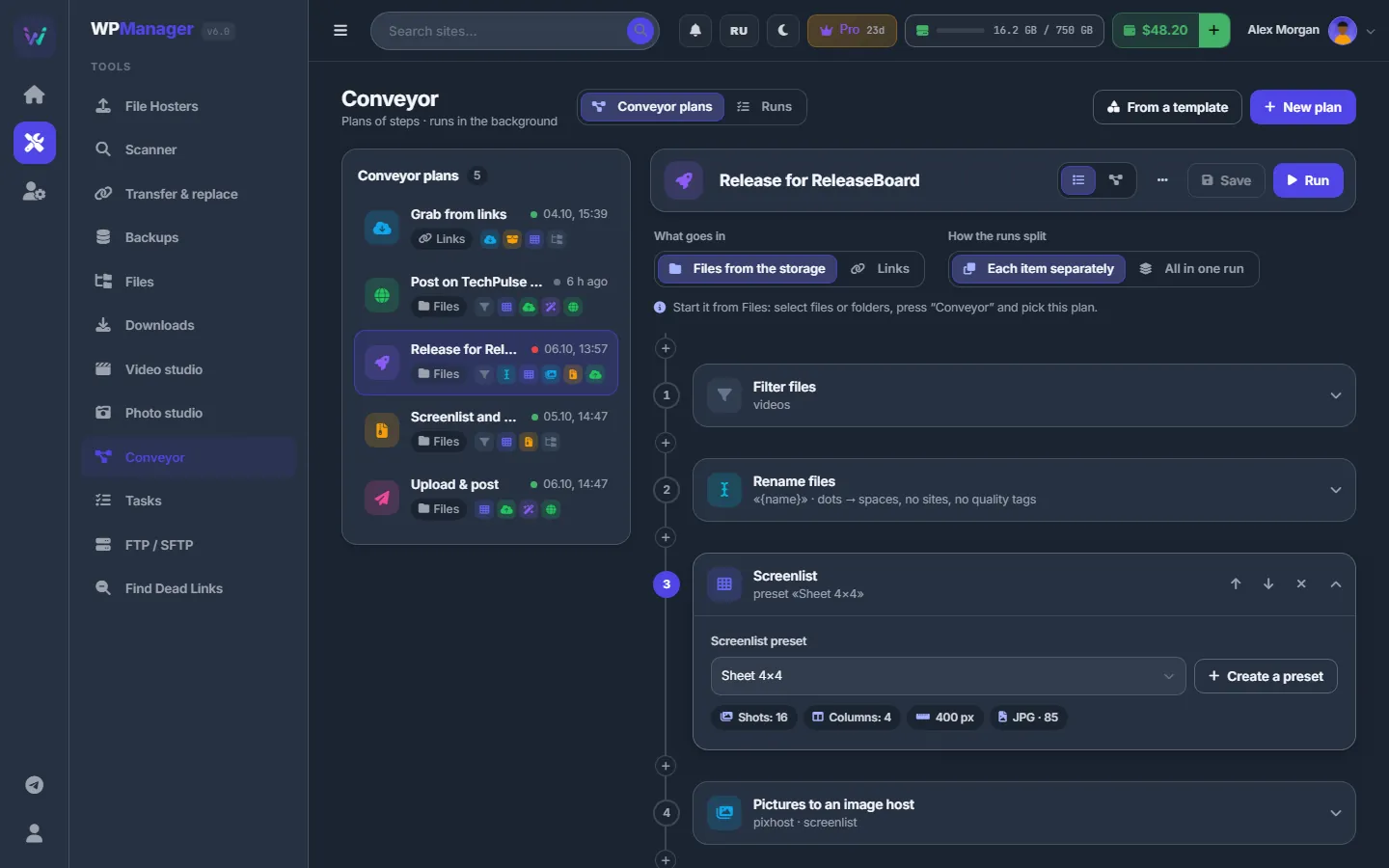
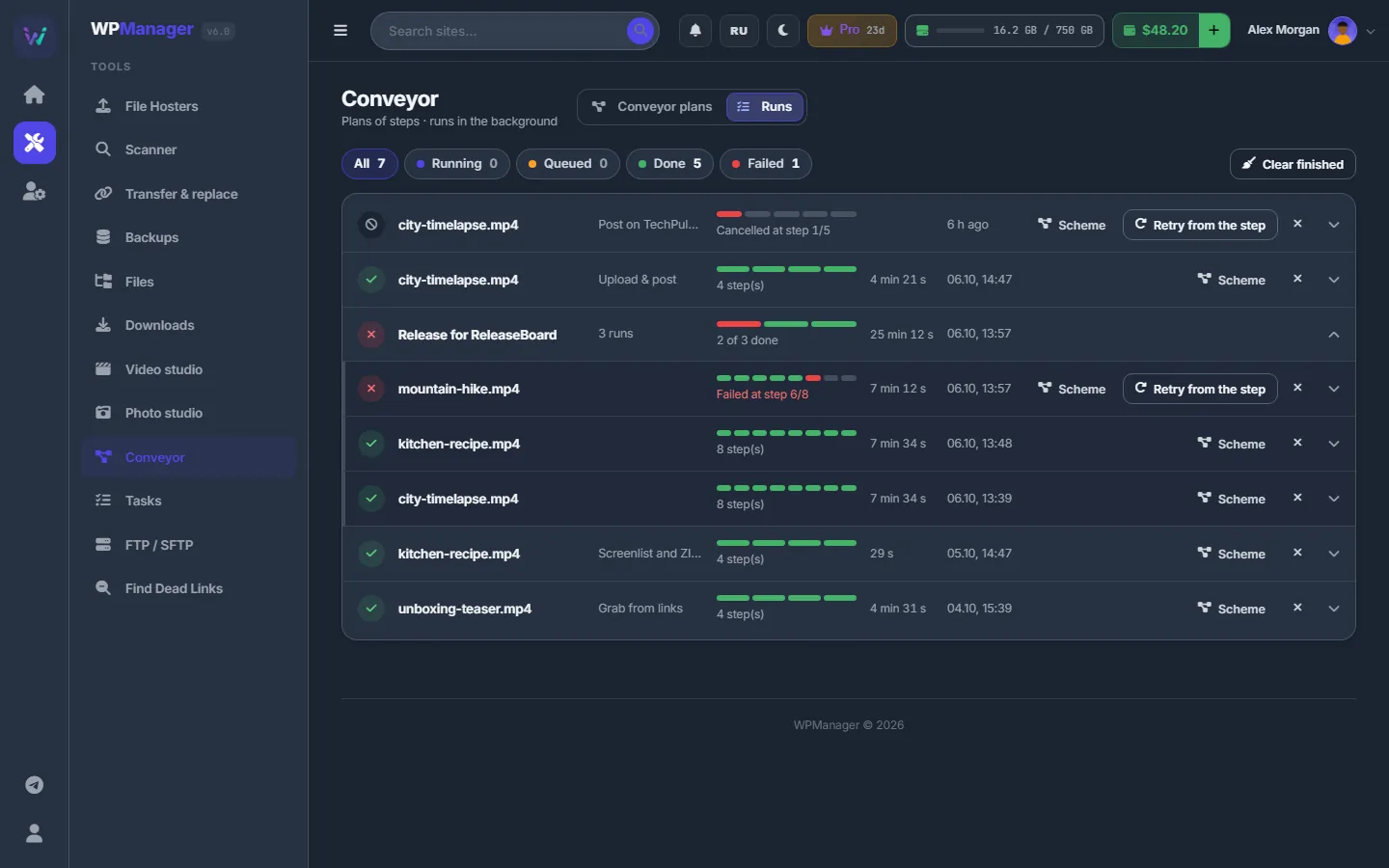
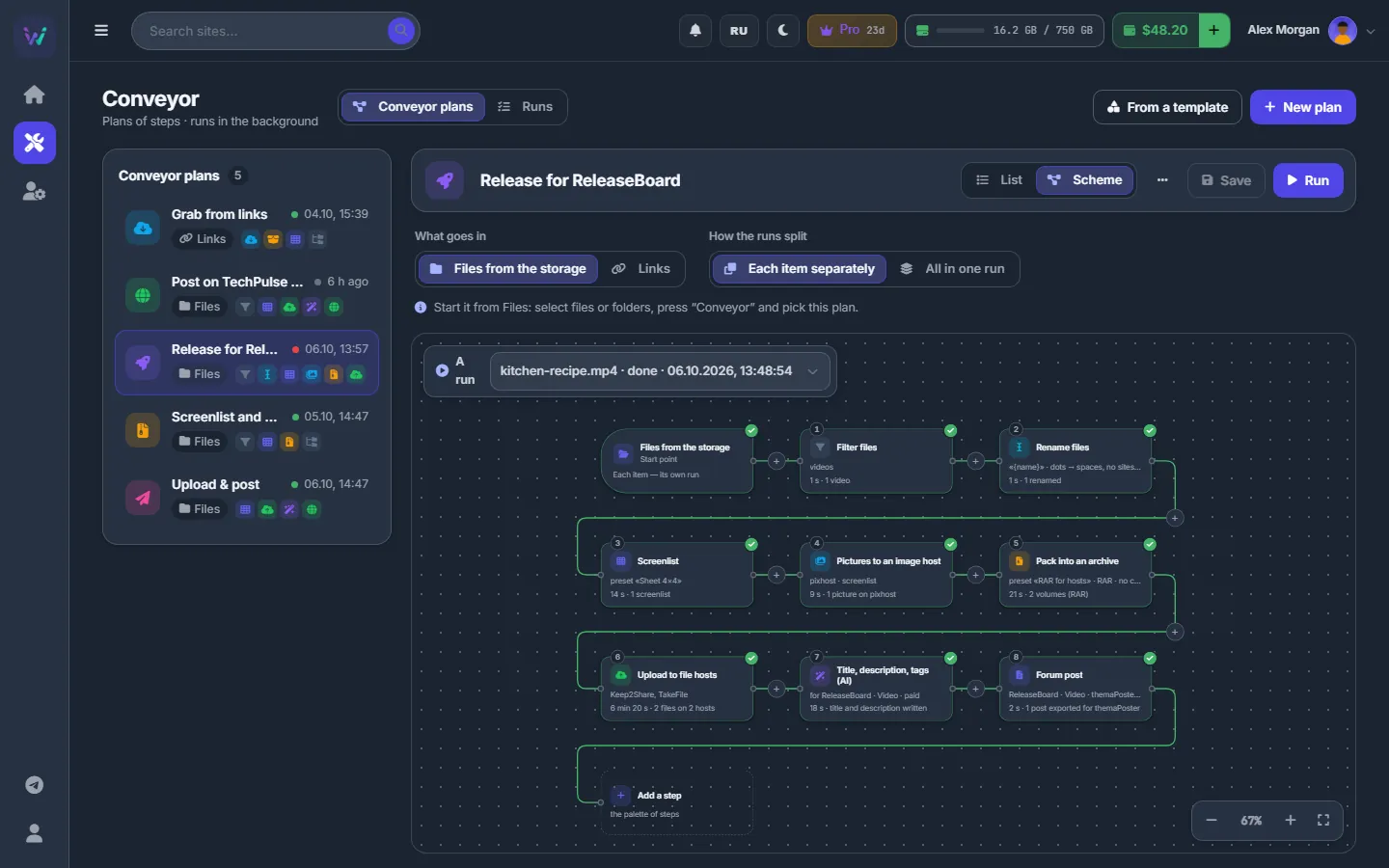
The Conveyor chains the steps of a release — download, unpack, screenlist, archive, upload to file hosts, AI text, publish — and runs them on the server for any number of files. Publish with AI asks a few questions and turns the videos you picked into finished posts in your site's style.
file hosts & dead links
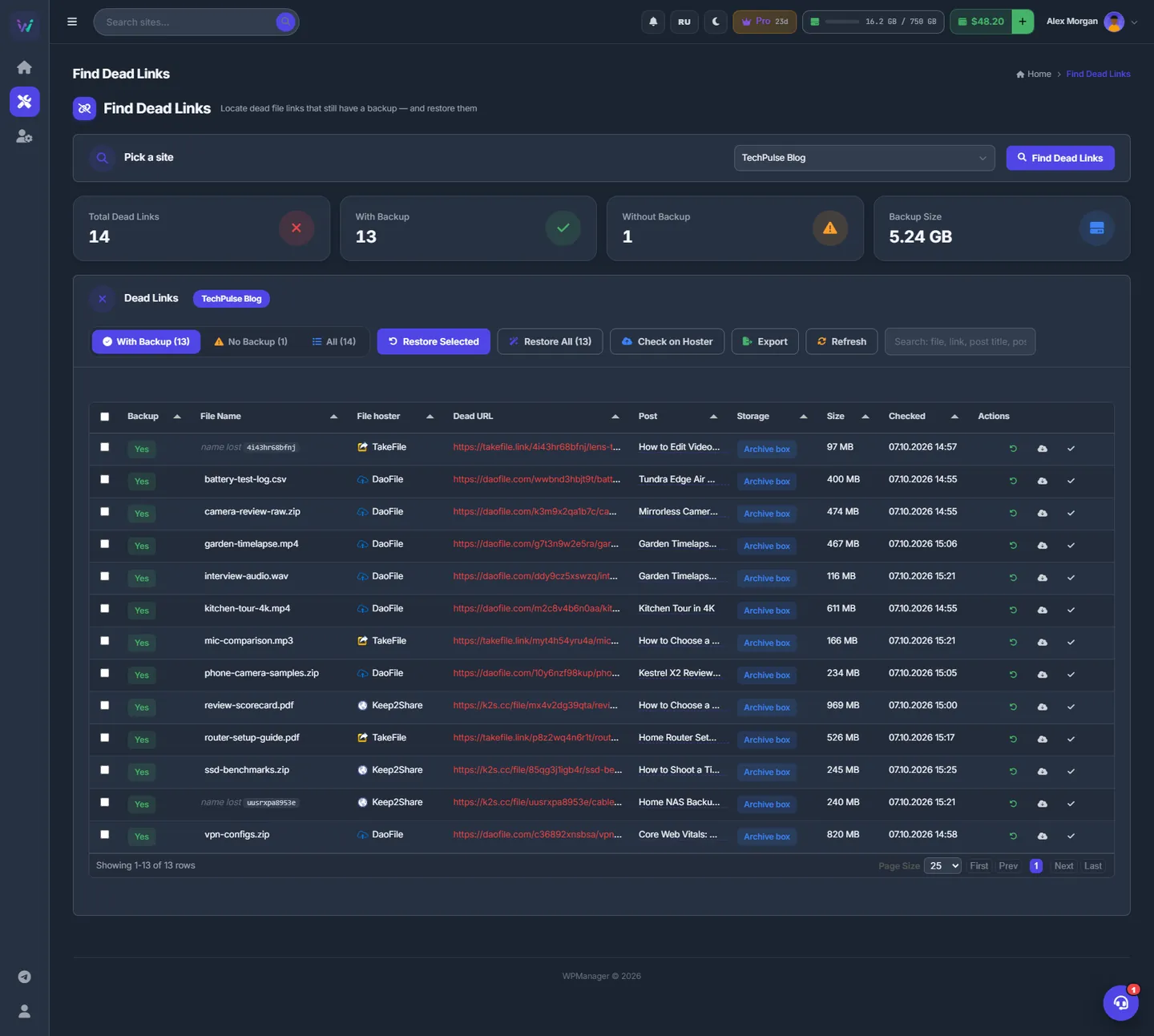
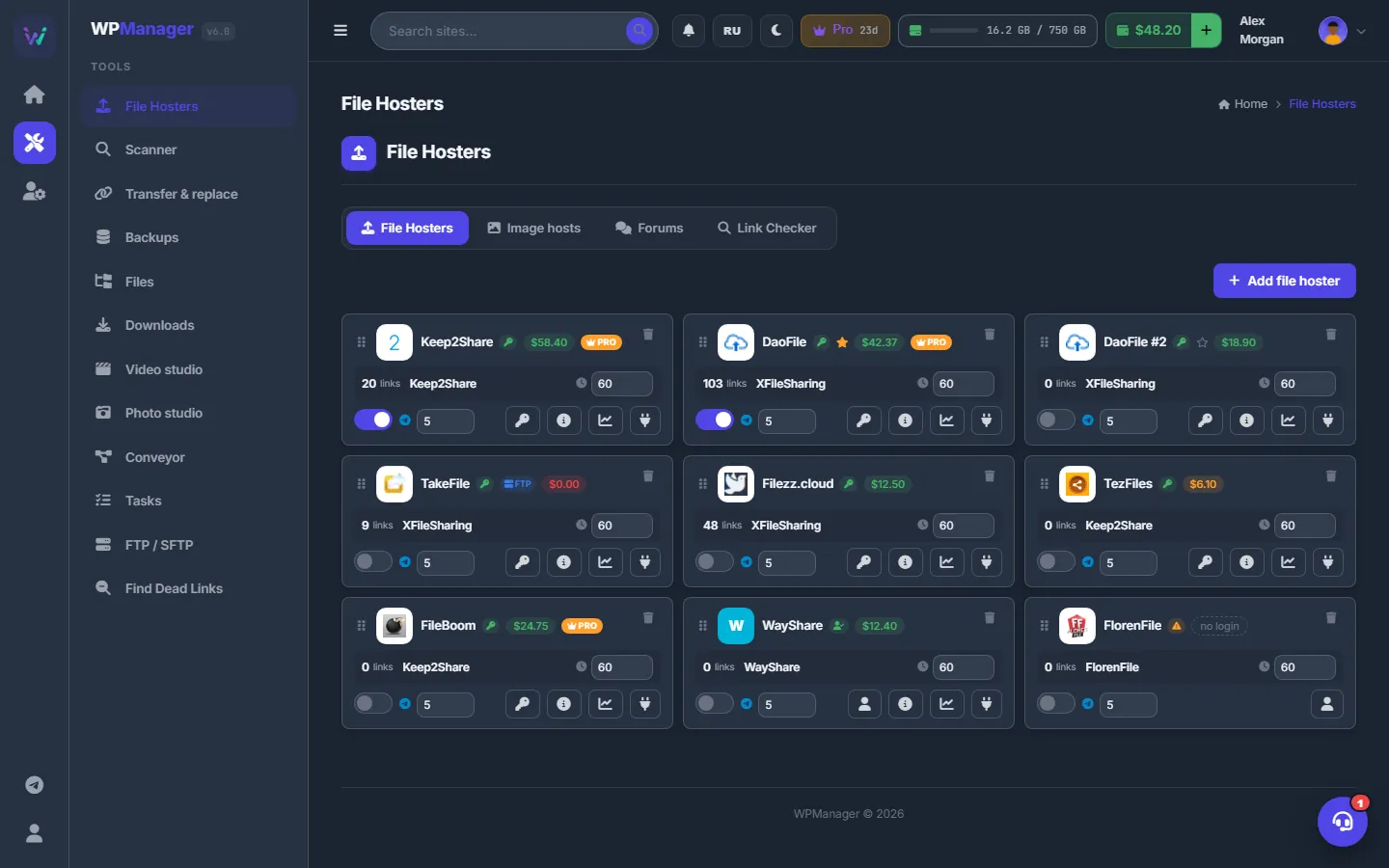
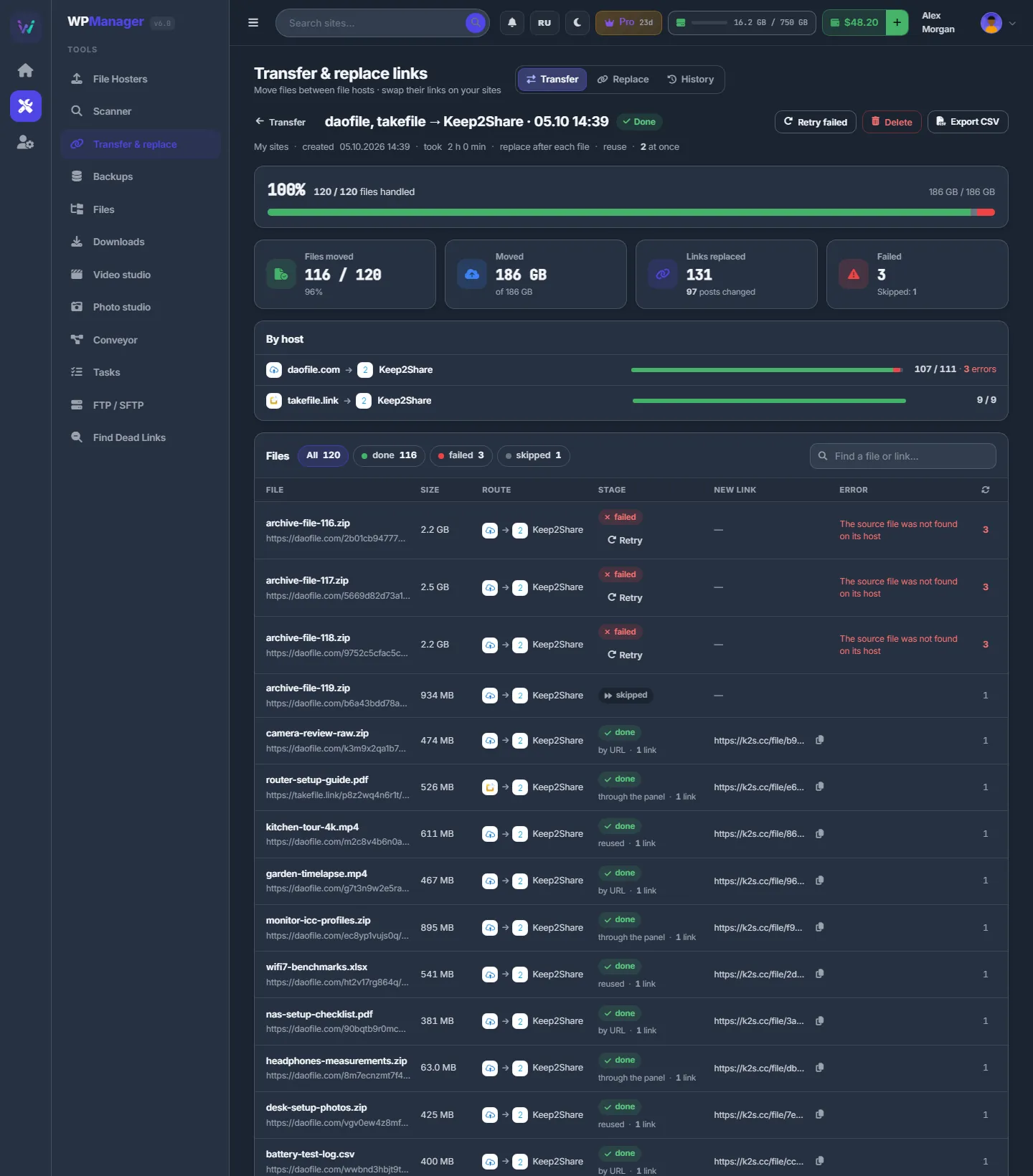
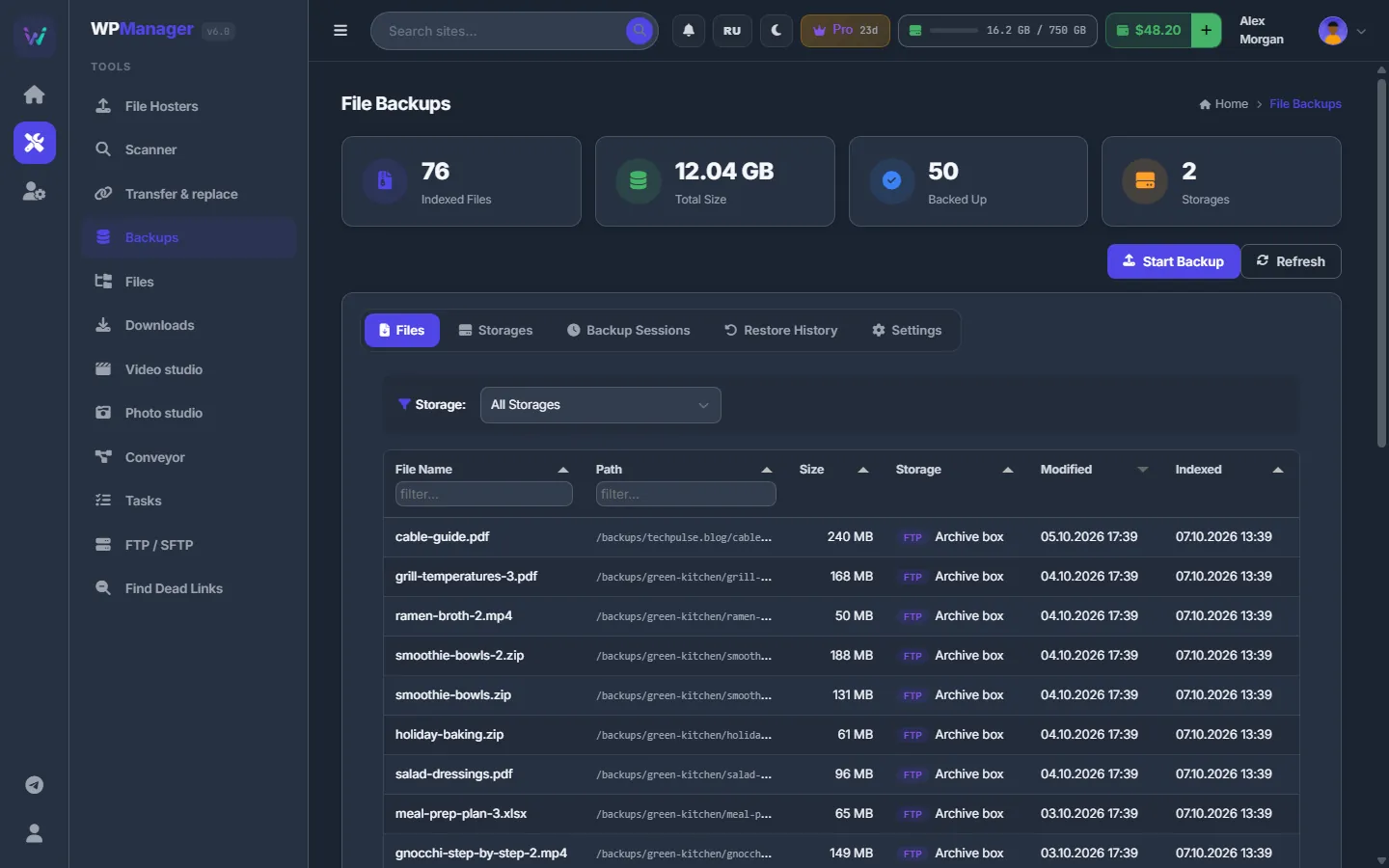
The Scanner reads your posts, finds every file-host link and checks each file. Dead ones come back from your own backups: the file is uploaded to your account on the same host and the new link replaces the dead one in the post. No spreadsheet, no copy-paste.
security · cloudflare · backups
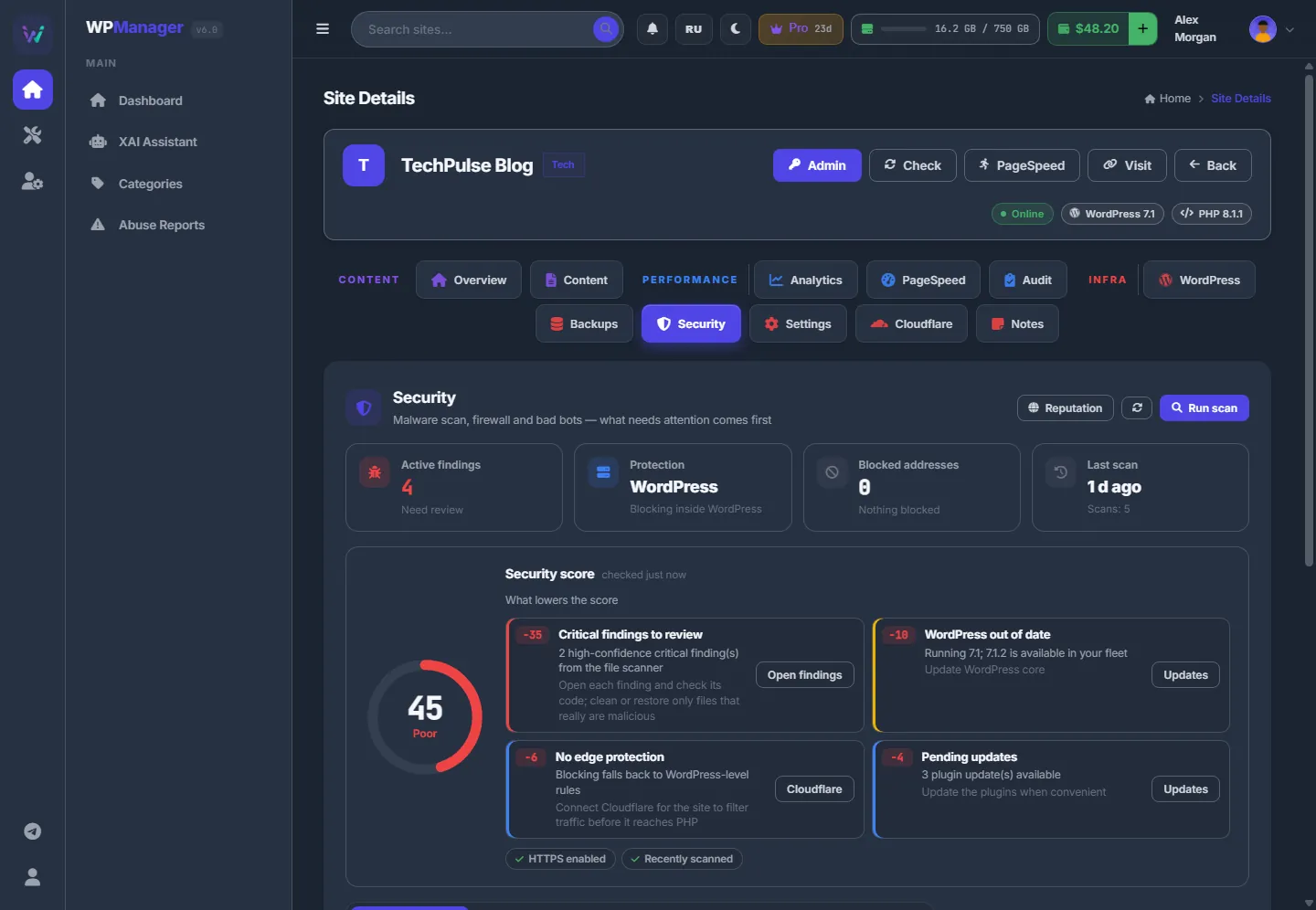
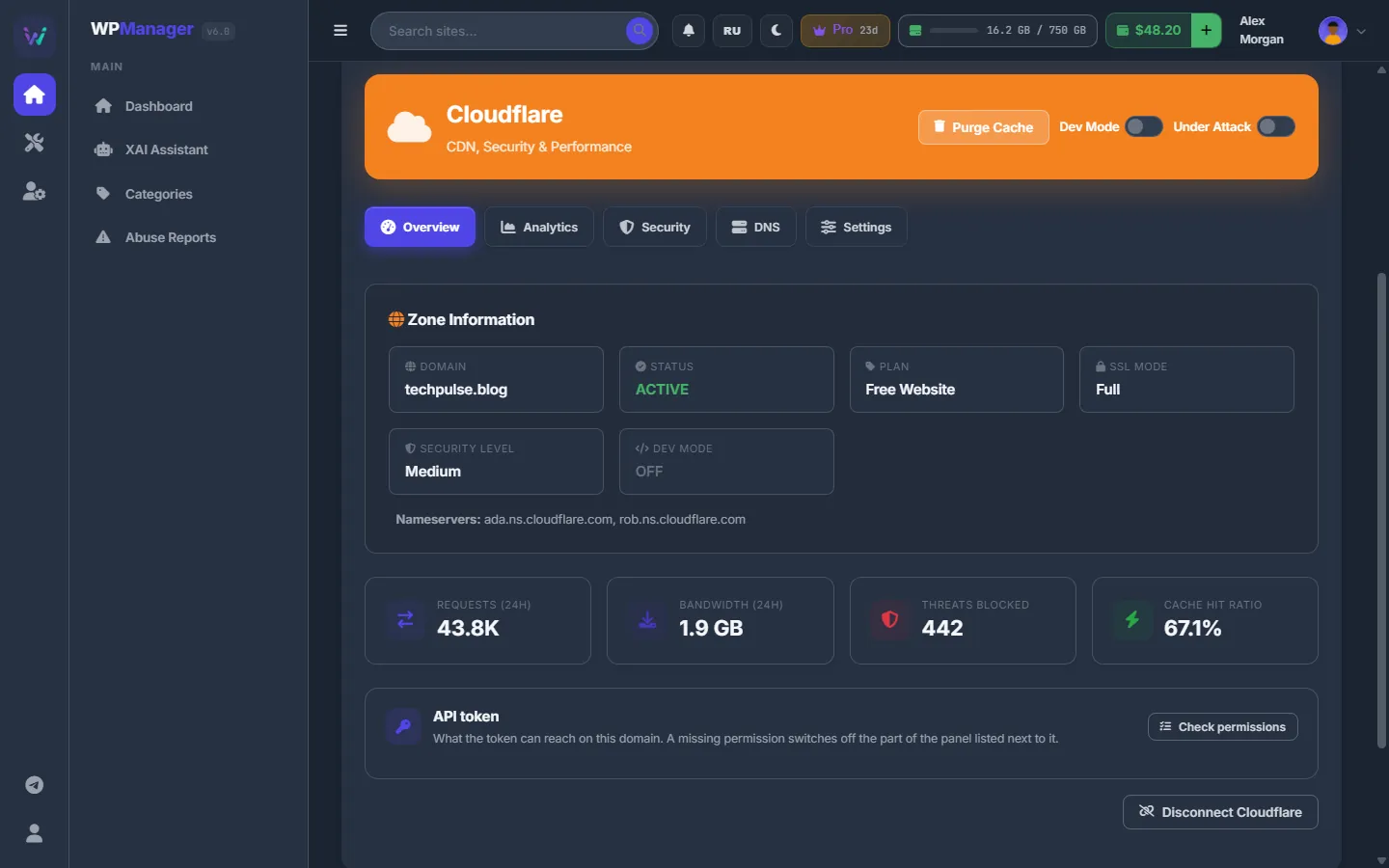
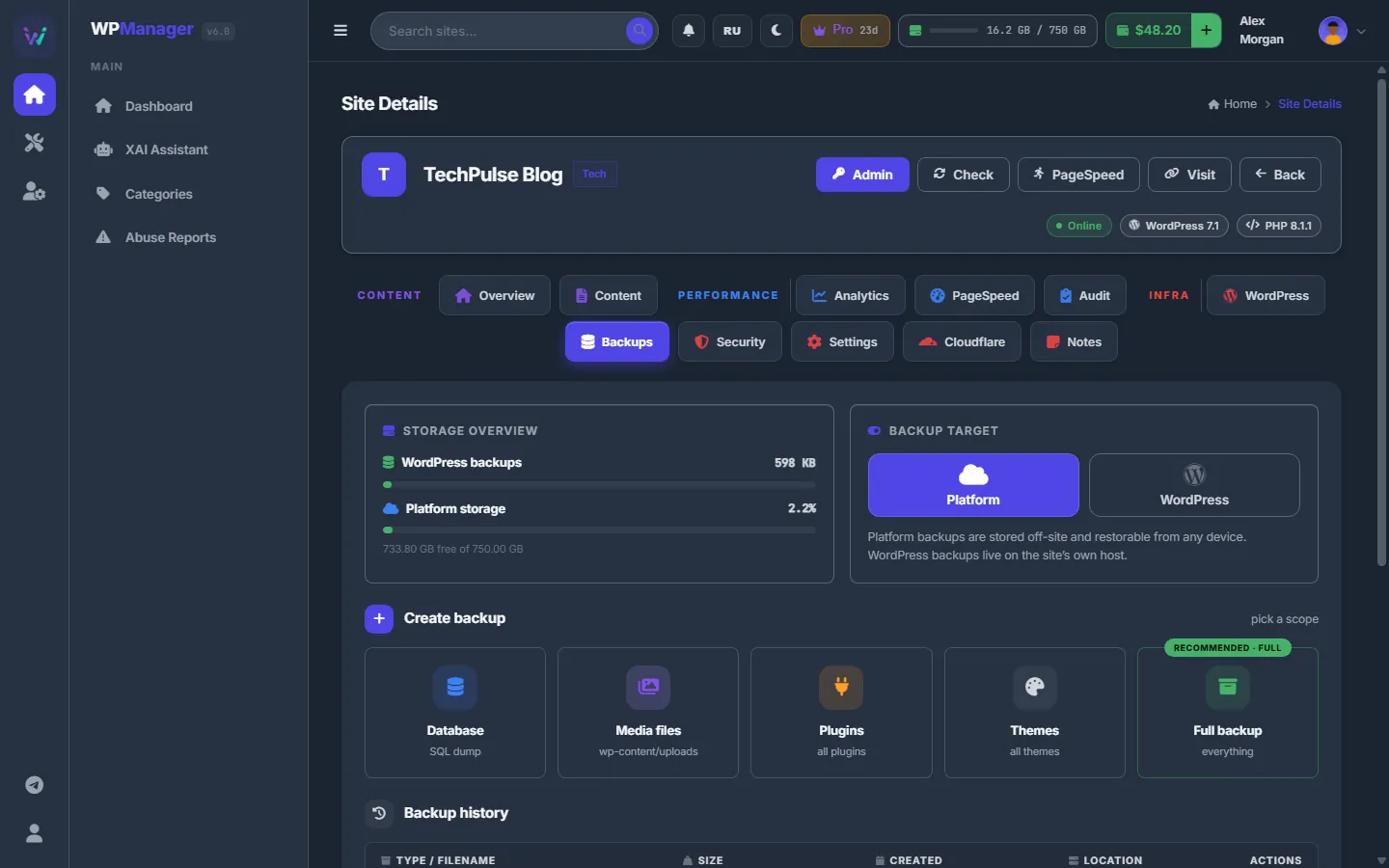
Every night the scanner compares WordPress core and plugins with the official checksums, looks for executable code in uploads and known web shells, and shows the evidence behind each finding. One switch closes the admin, xmlrpc.php and user enumeration — at the Cloudflare edge or in the plugin's own firewall.
analytics & pagespeed
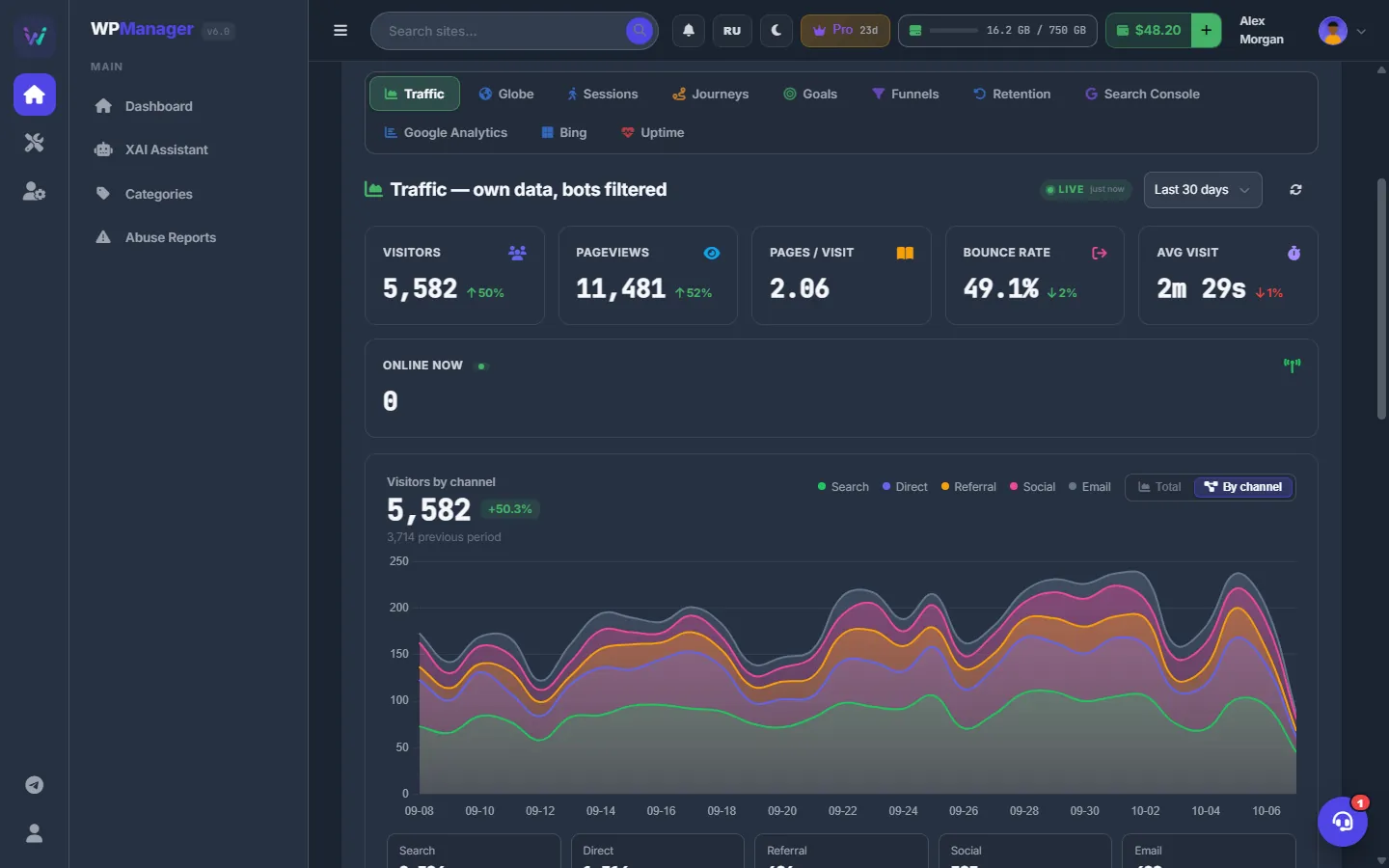
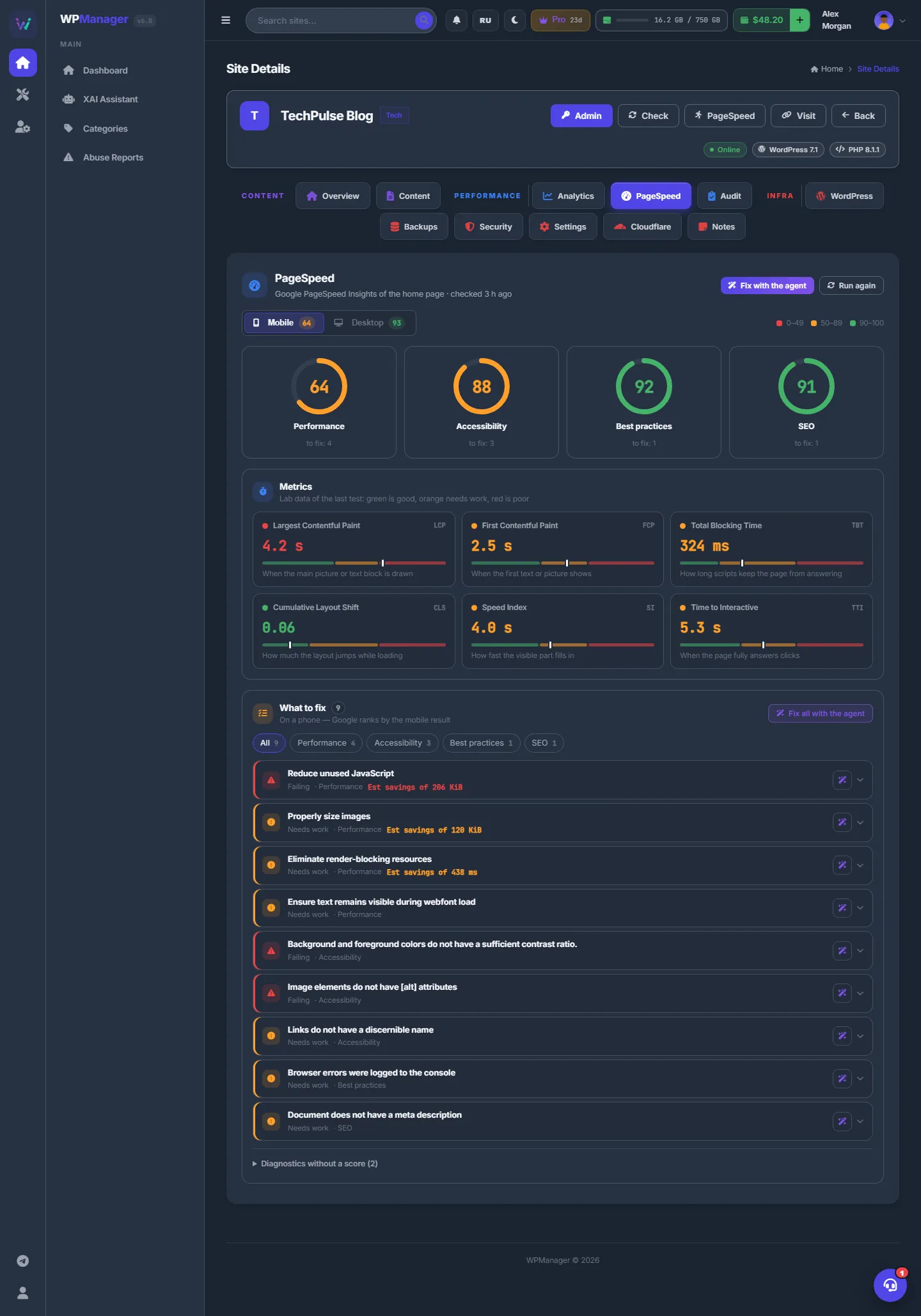
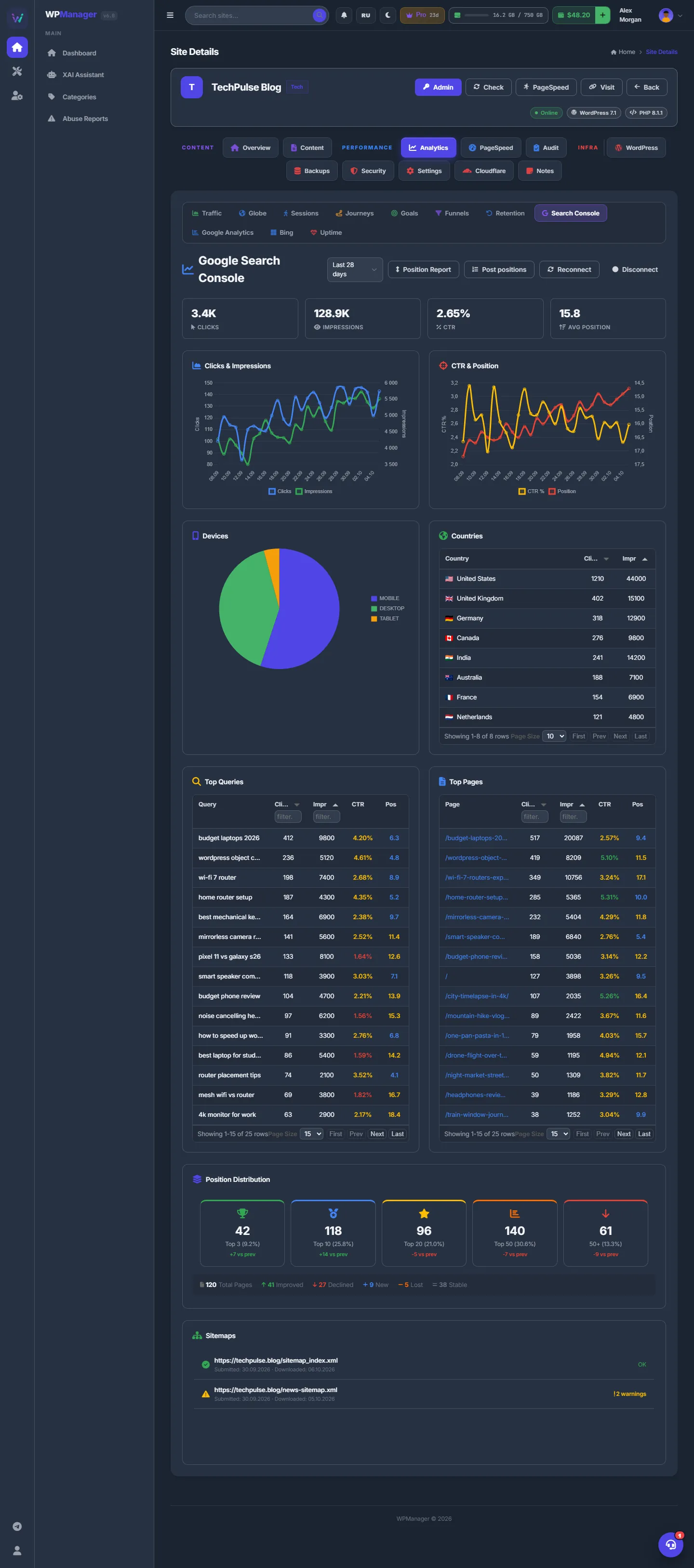
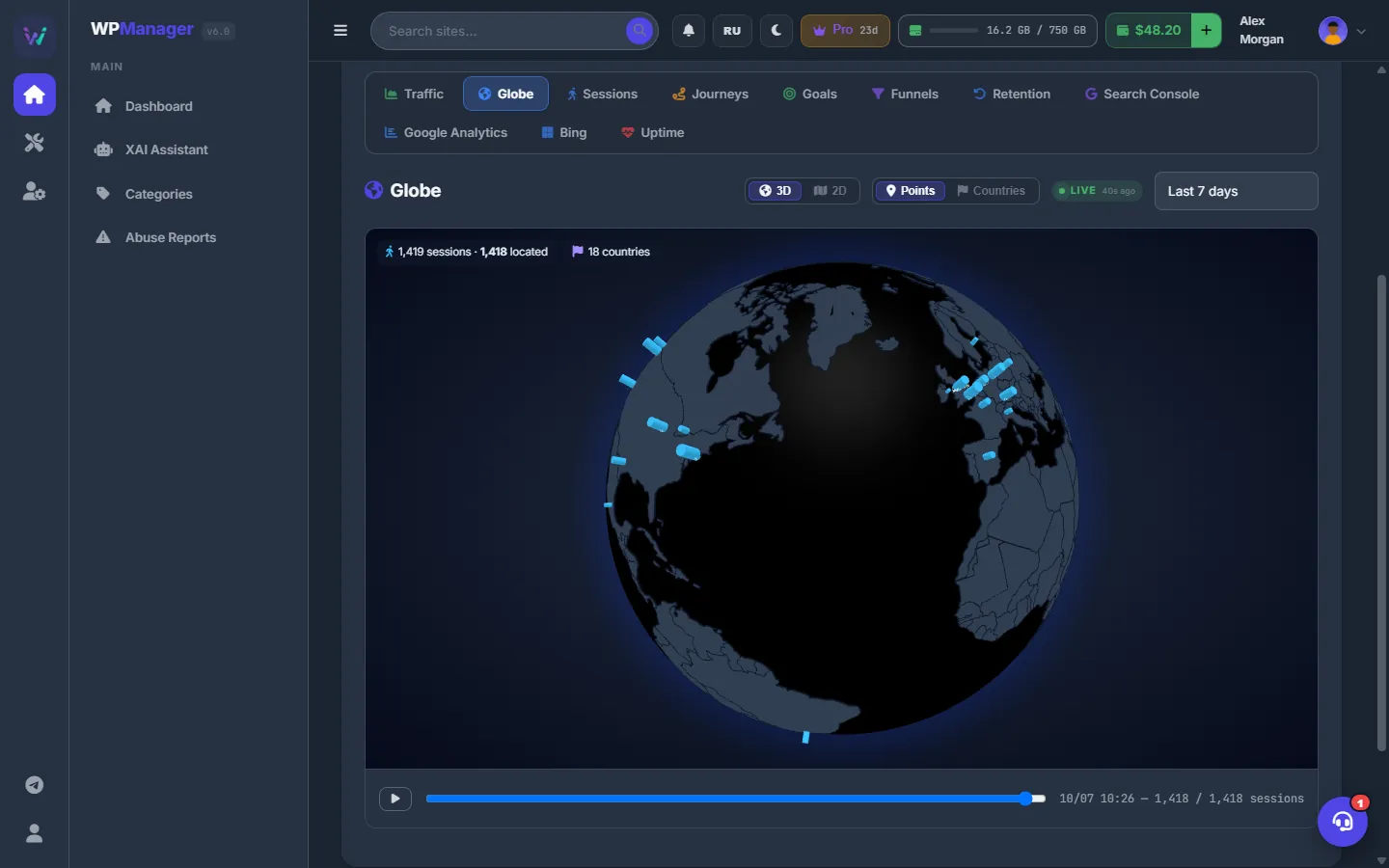
The plugin counts visits itself — no Google Analytics needed: visitors, sources, pages, events, goals, funnels, retention and Core Web Vitals of real visitors. Search Console, Bing and GA4 sit right next to it, and PageSpeed hands its report to the AI agent, which prepares the fixes.
files · downloads · studios
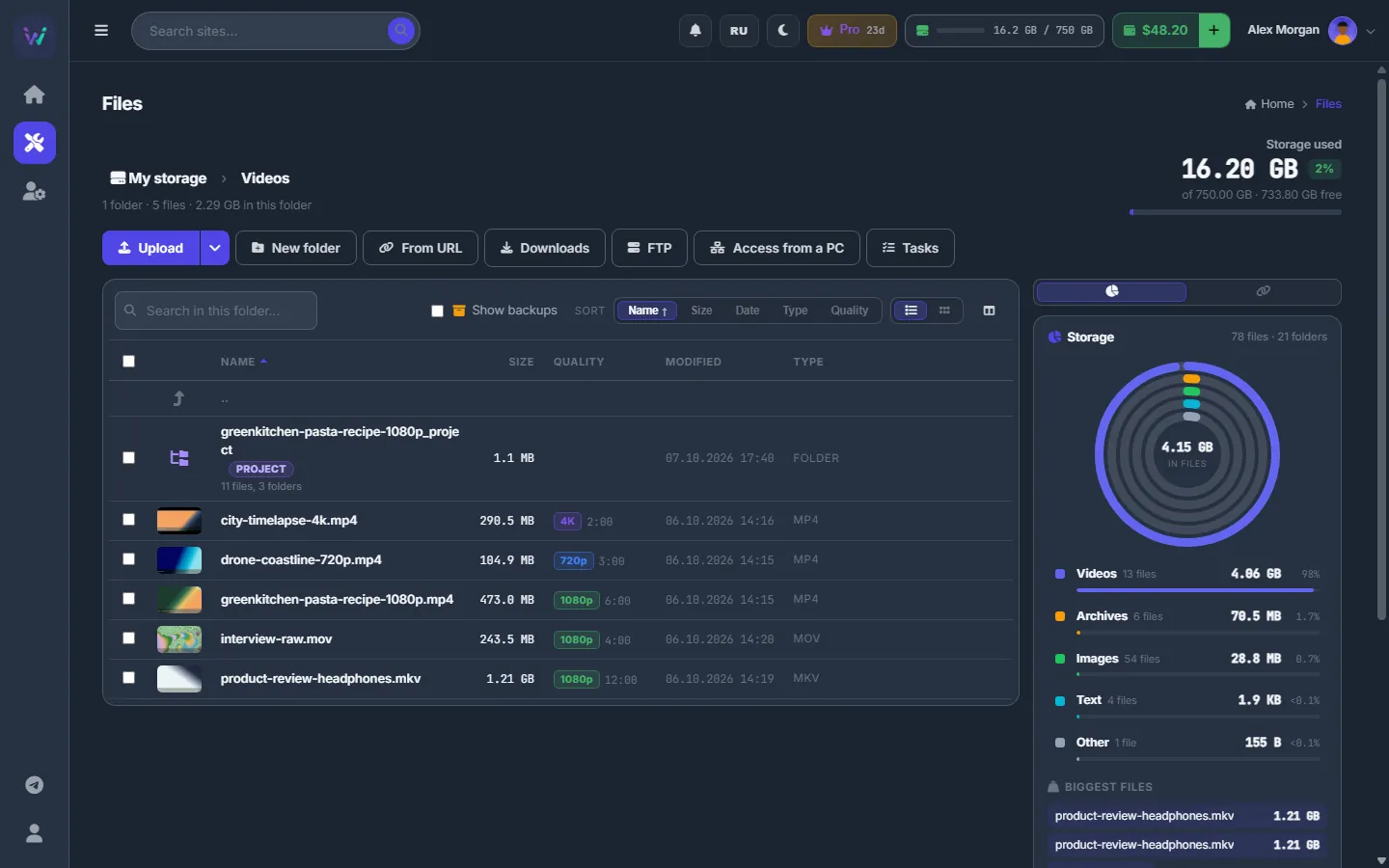
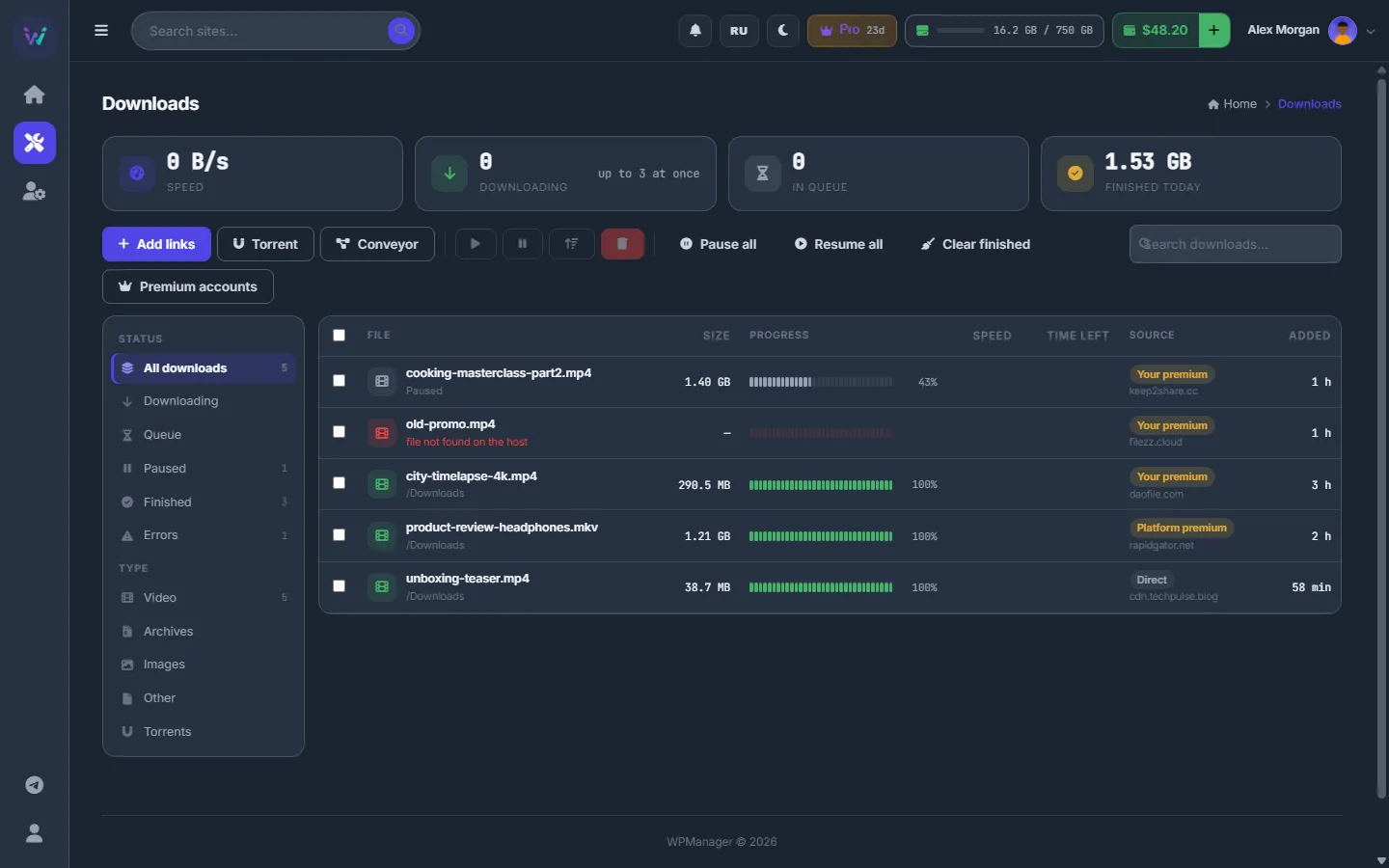
Files is storage inside the panel that every tool works from. The server downloads from premium file hosts, direct links and torrents straight into it, then uploads to several file hosts at once and hands you the links as BBCode, HTML or a ready post.
forums · image hosts · themaPoster
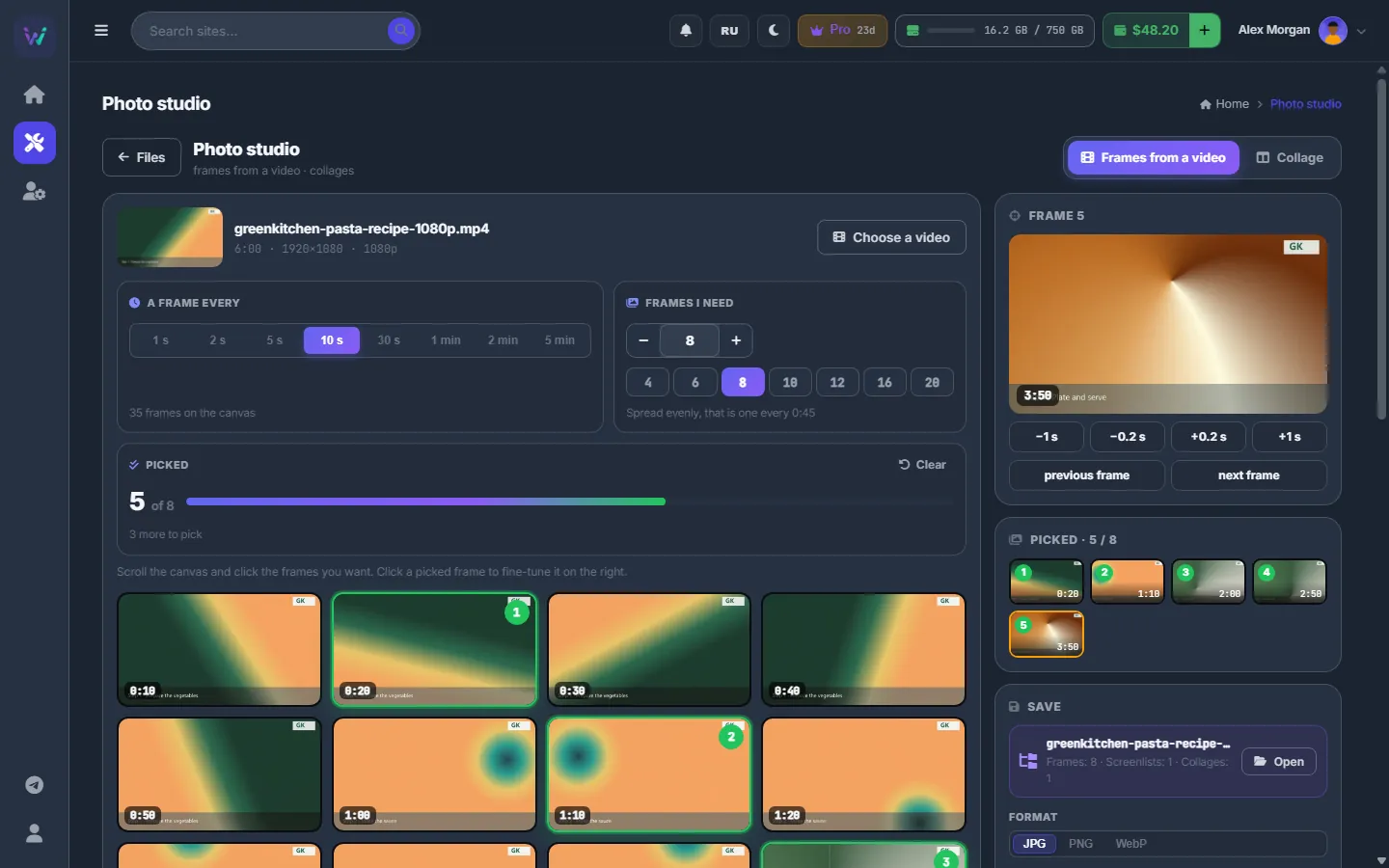
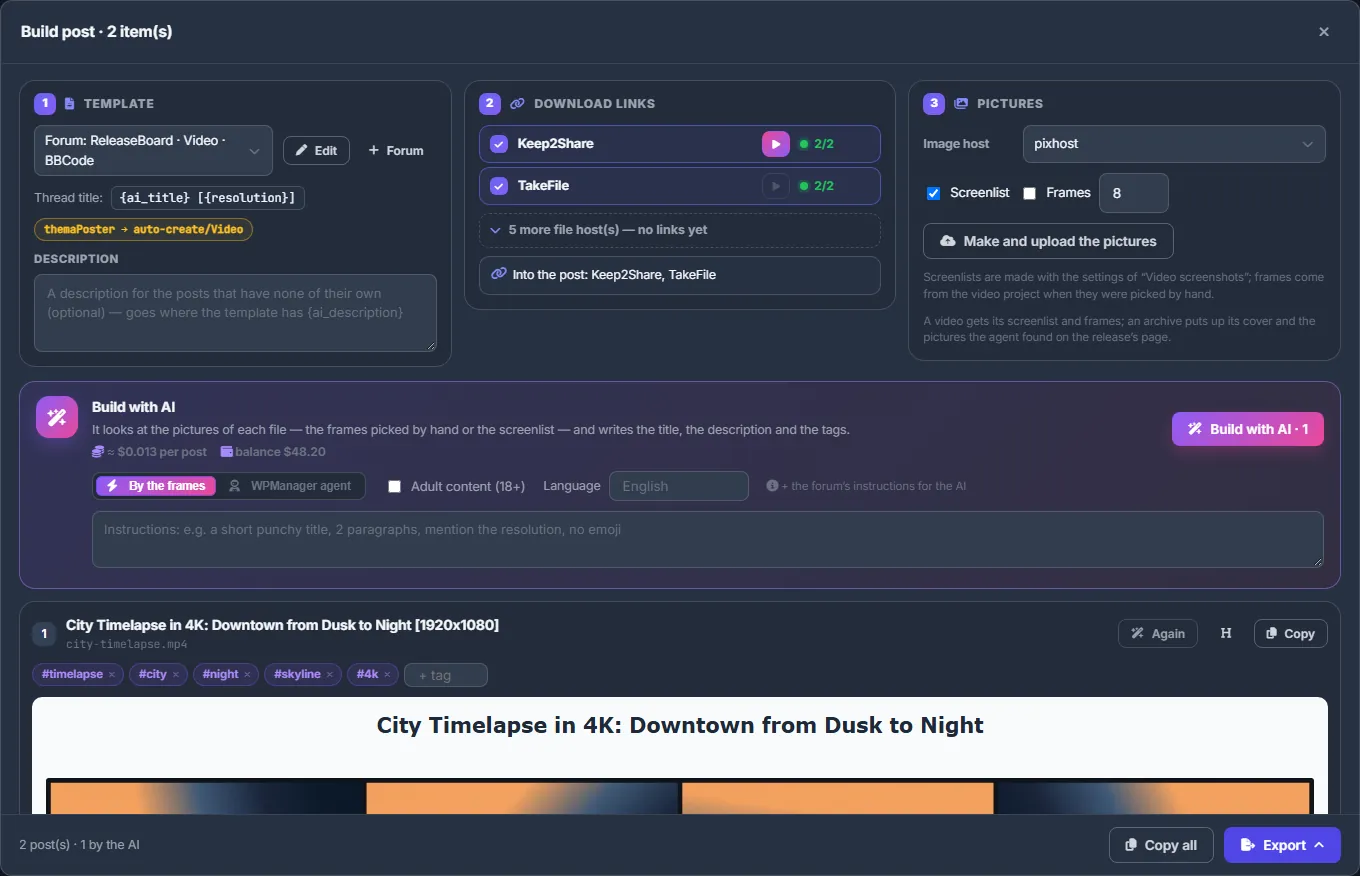
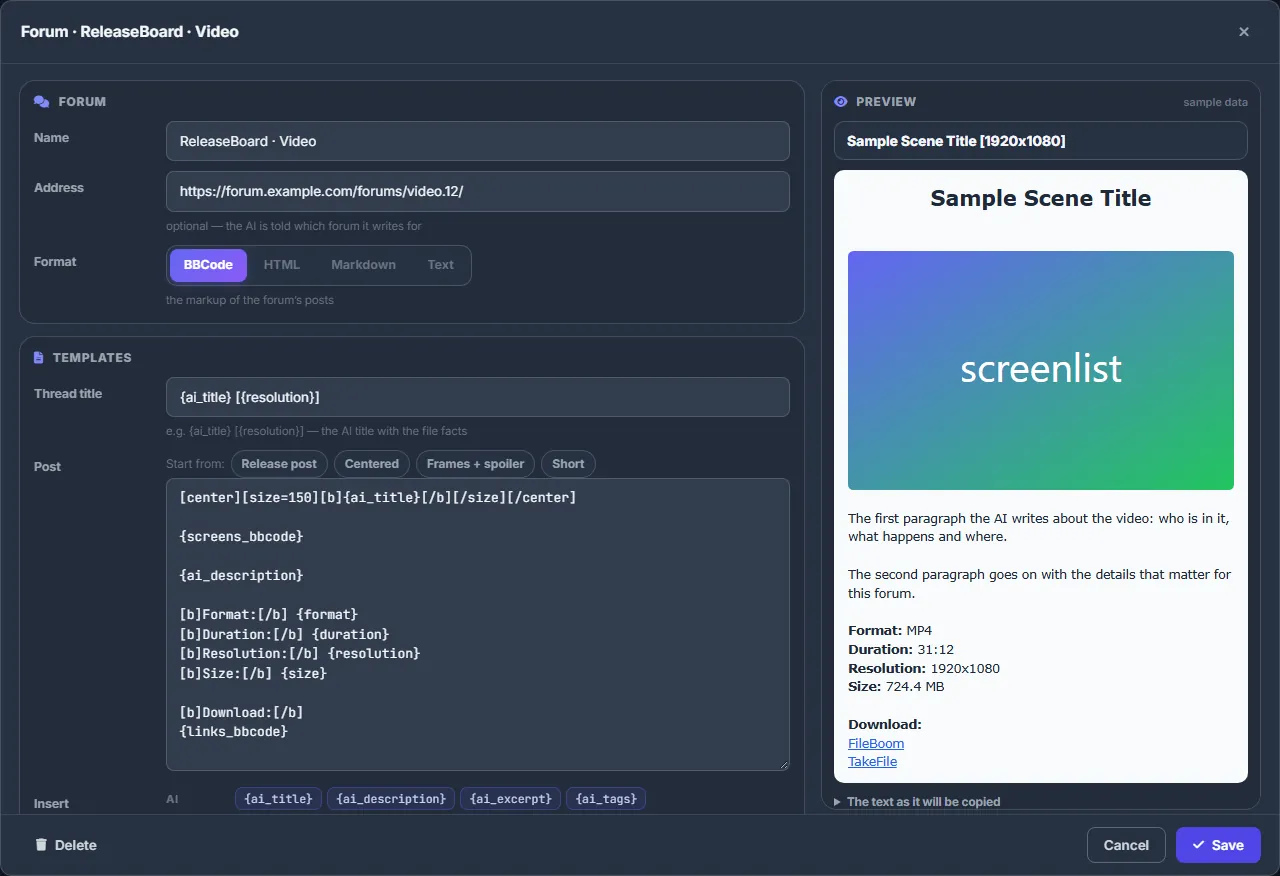
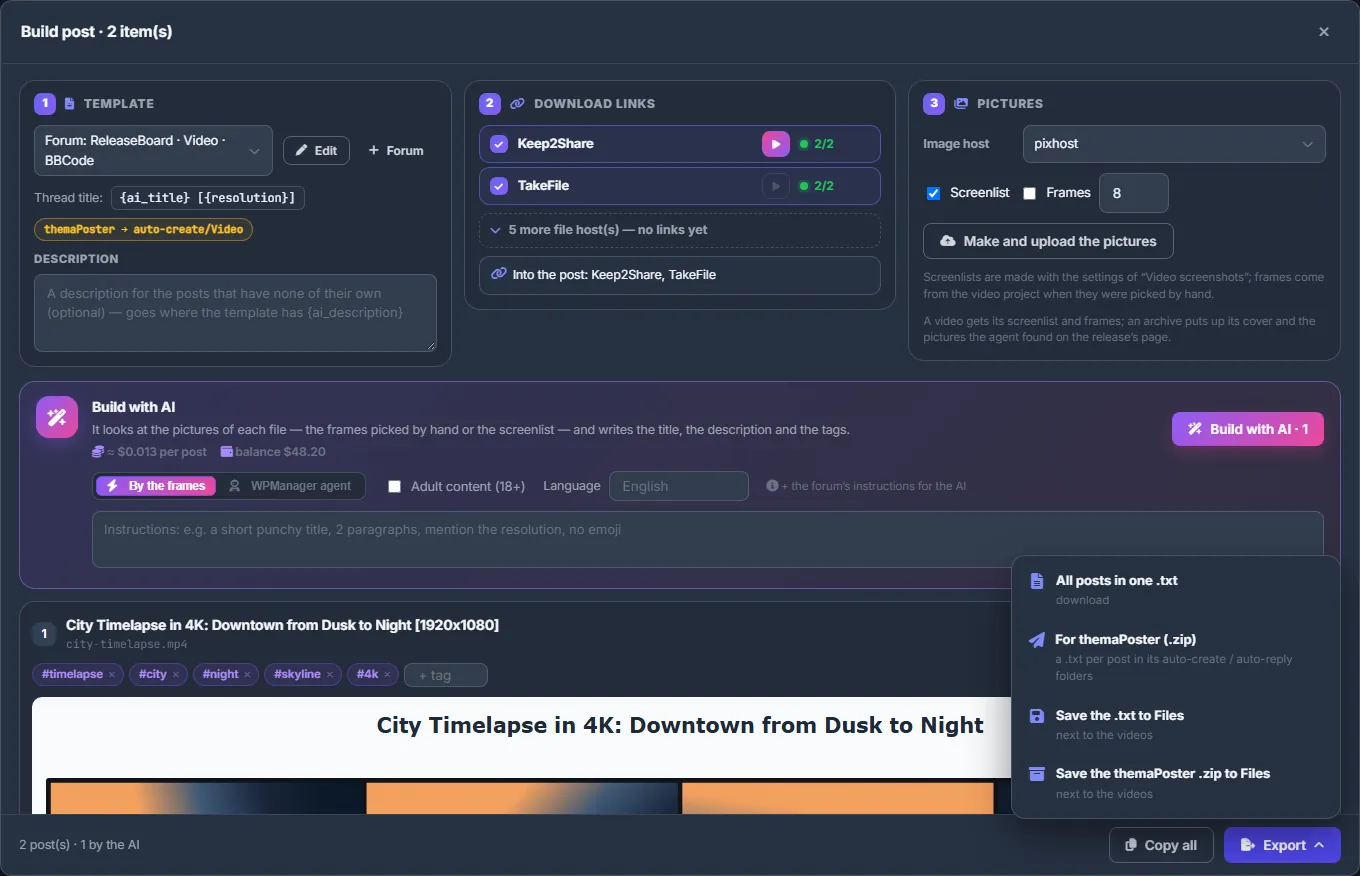
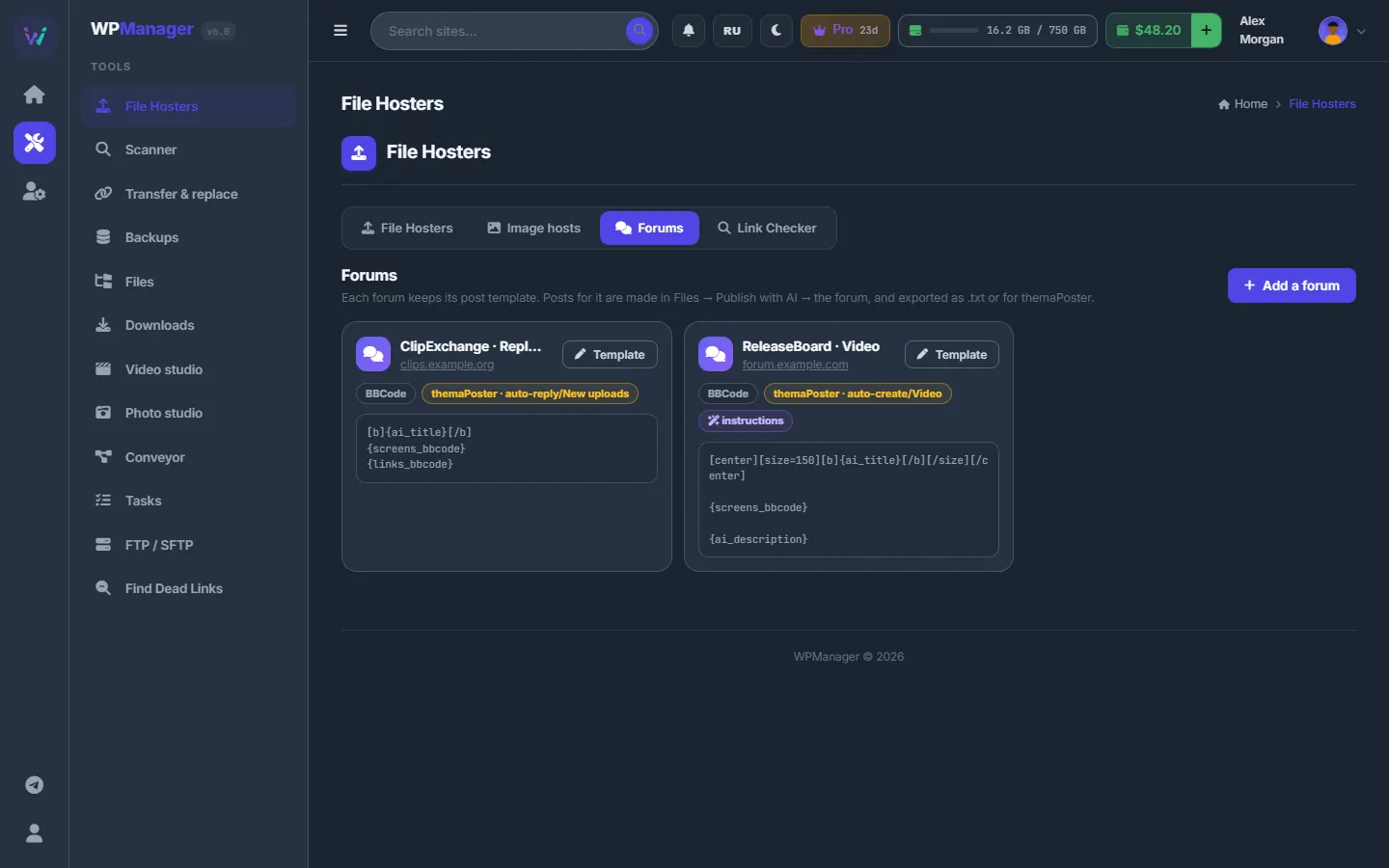
Select videos in Files and the panel builds a post for each one: it uploads the screen list and frames to an image host, adds download links from every file host, and the AI writes the title and description. Every forum has its own template: BBCode, HTML, Markdown or plain text.
ai assistant & agent
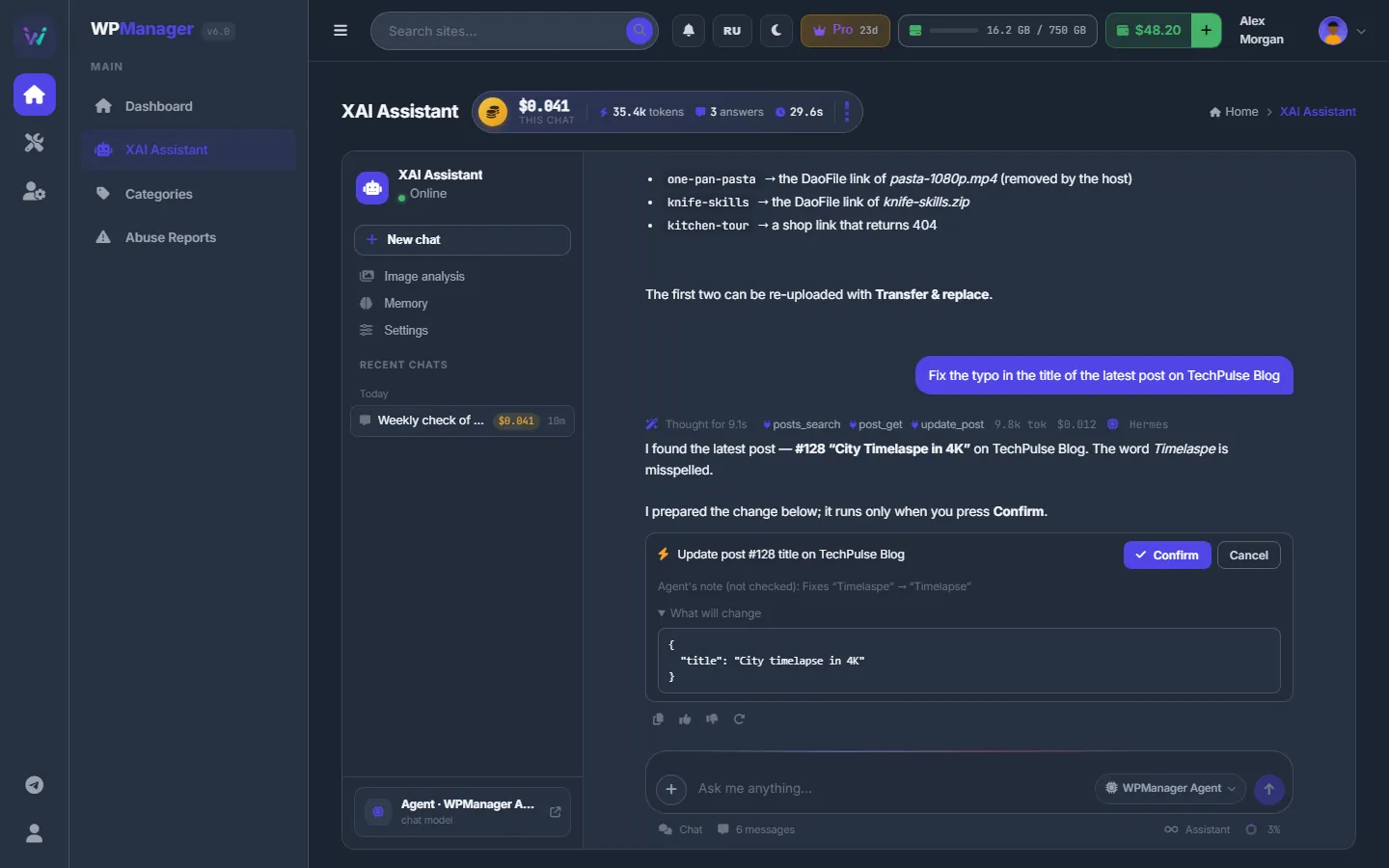
The XAI Assistant chats with AI models and with the WPManager Agent, which knows your sites, traffic, uptime, dead links, backups, payments and files. When it wants to change something, it prepares the change and waits for your Confirm; nothing moves until you press it.
video studio & batch conversion
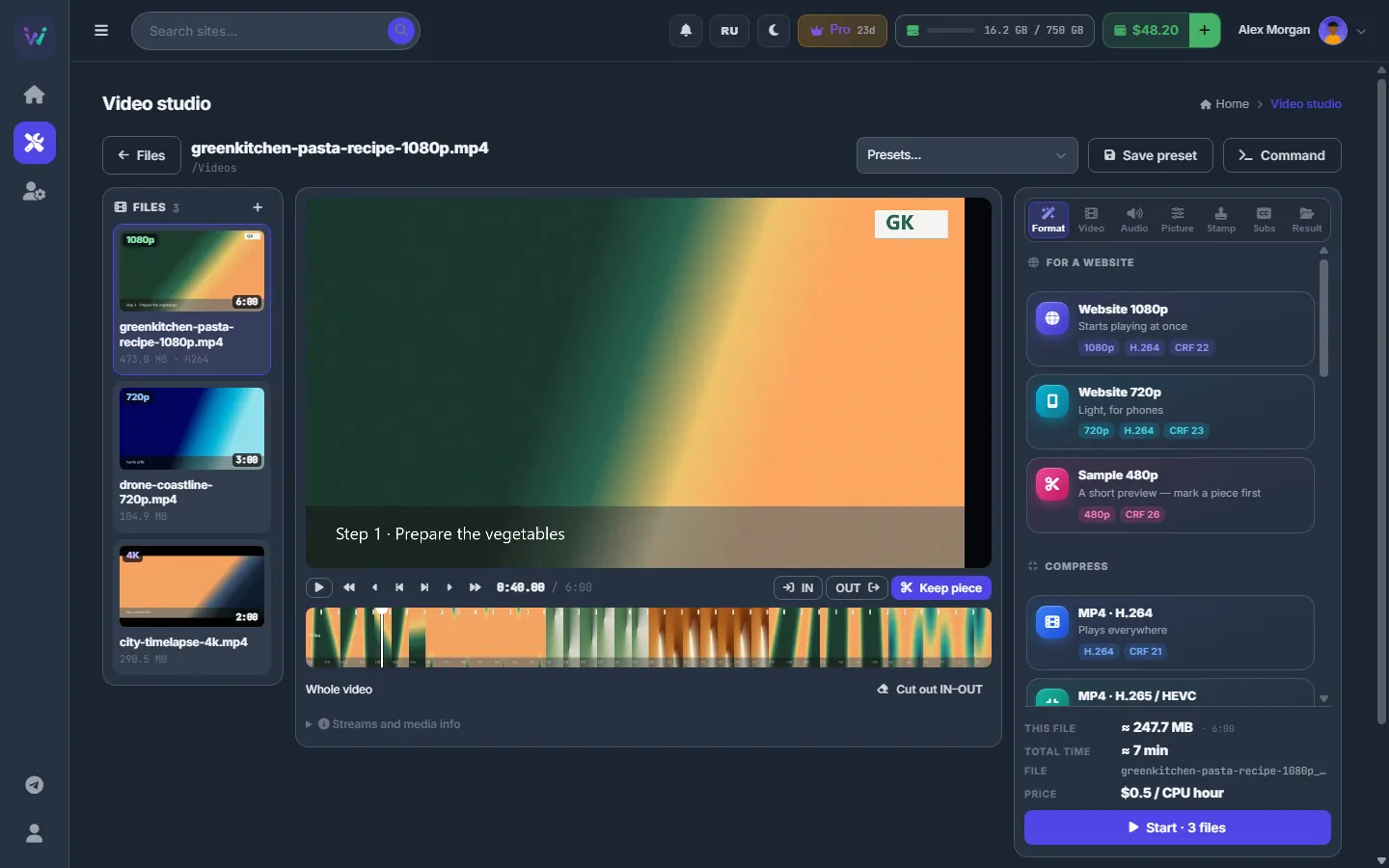
Pick videos in Files and open the Video studio: mark the pieces to keep, crop the picture, blur logos or faces, add a text or logo watermark and choose a preset. The server does the work with ffmpeg, and the same settings convert a batch of up to 200 files.
content store & store
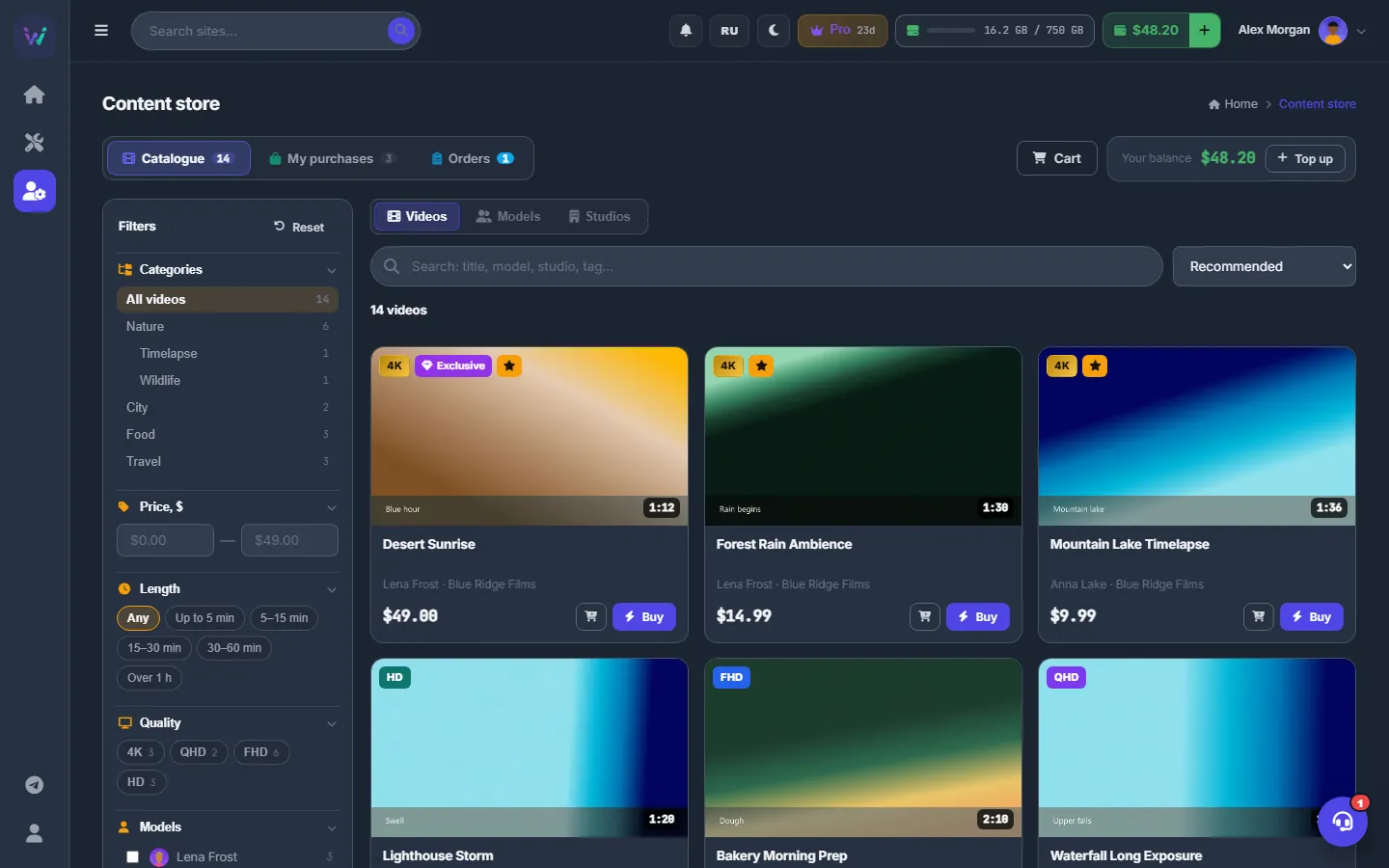
The Content store sells ready videos with posters, screenshots, trailers and full technical details. Buy one in two clicks, or collect several in the cart and use a promo code. Cannot find a video? Send its links to the order desk: the team fetches the videos, sets one price, and you check the samples before you pay.
sound familiar?
WPManager is for webmasters and small teams who lose hours to the same chores: updates, dead links, posts, uploads and backups. Whether you run one site, a network or only write forum posts, the panel takes them off your hands. If this is your week, you are in the right place.
Every site has its own admin, its own password and its own surprises.
One Dashboard for every site — pending updates included, one click per site.
Files vanish from hosts and the money stops — and you find out weeks later.
The scanner finds them; the panel re-uploads the files from your backups and relinks.
Each notice from Google means hunting the post down by hand, on the right site.
Notices line up as a to-do list: change the URL, hide the post or skip — in bulk too.
Nobody has time to run PageSpeed on every site, let alone fix what it finds.
PageSpeed for every site — and an AI agent that prepares the fixes for your OK.
A backup that has never been restored is a wish, not a plan.
Off-site backups in one click; restores of 10 GB and more resume after hiccups.
Download, screenlist, archive, upload, write, publish — for every file, every day.
The conveyor and Publish with AI run the whole chain.
what you get
Sites, posts, files, forum posts, the content store, hosting and access orders in one panel. The modules share their data and one USD balance: a dead link becomes a restore, a slow page a task for the agent, a finished upload a post, and forum posts need no site at all.
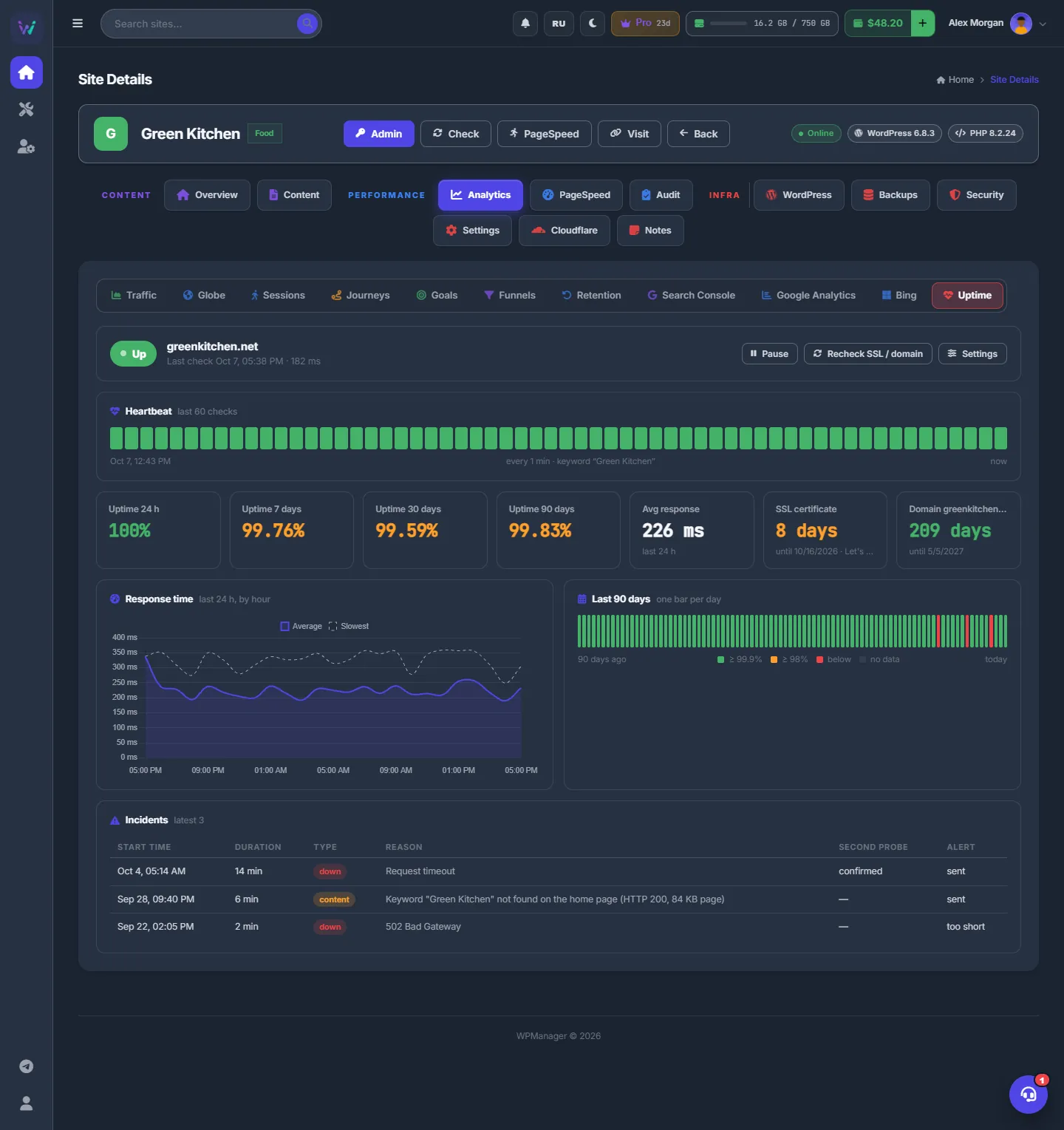
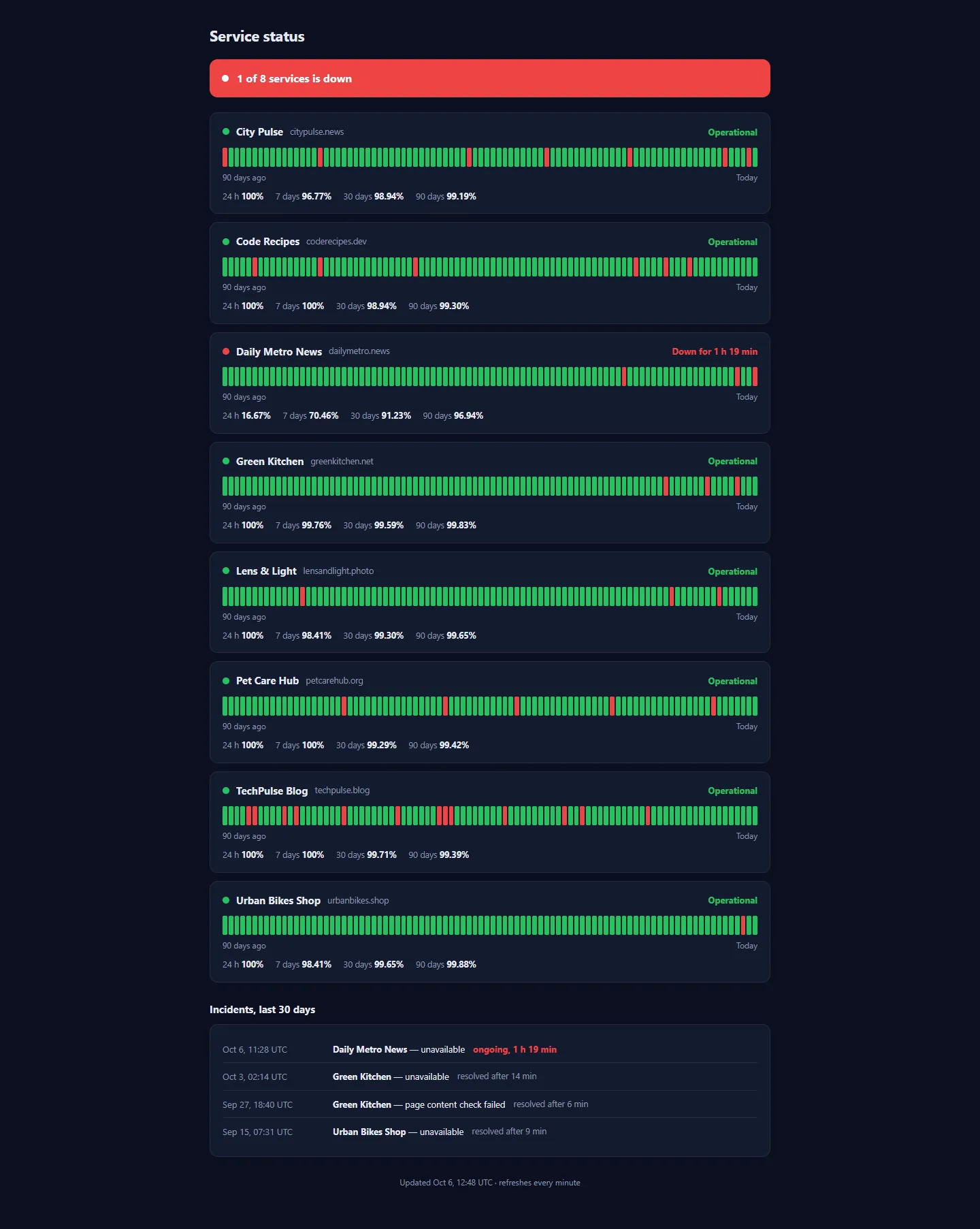
Status, response time, PageSpeed, posts, disk size and versions of every site. Checks every minute, Telegram alerts only for real outages, SSL and domain warnings, a public status page.
Update core, plugins and themes of every site from the Dashboard. Install and switch plugins, edit posts, users, comments and media — all from the panel.
A nightly malware scan that shows its evidence, a security score, the plugin's firewall or one-click Cloudflare rules, cache purge and Under Attack mode from the panel.
Database, media, plugins and themes off-site, each copy in one click; multi-gigabyte restores sent in parts. Copies of your file-host files on your own FTP.
Accounts and balances of every host, a scanner for dead links, recovery from your backups, transfer between hosts and bulk link replacement on all sites.
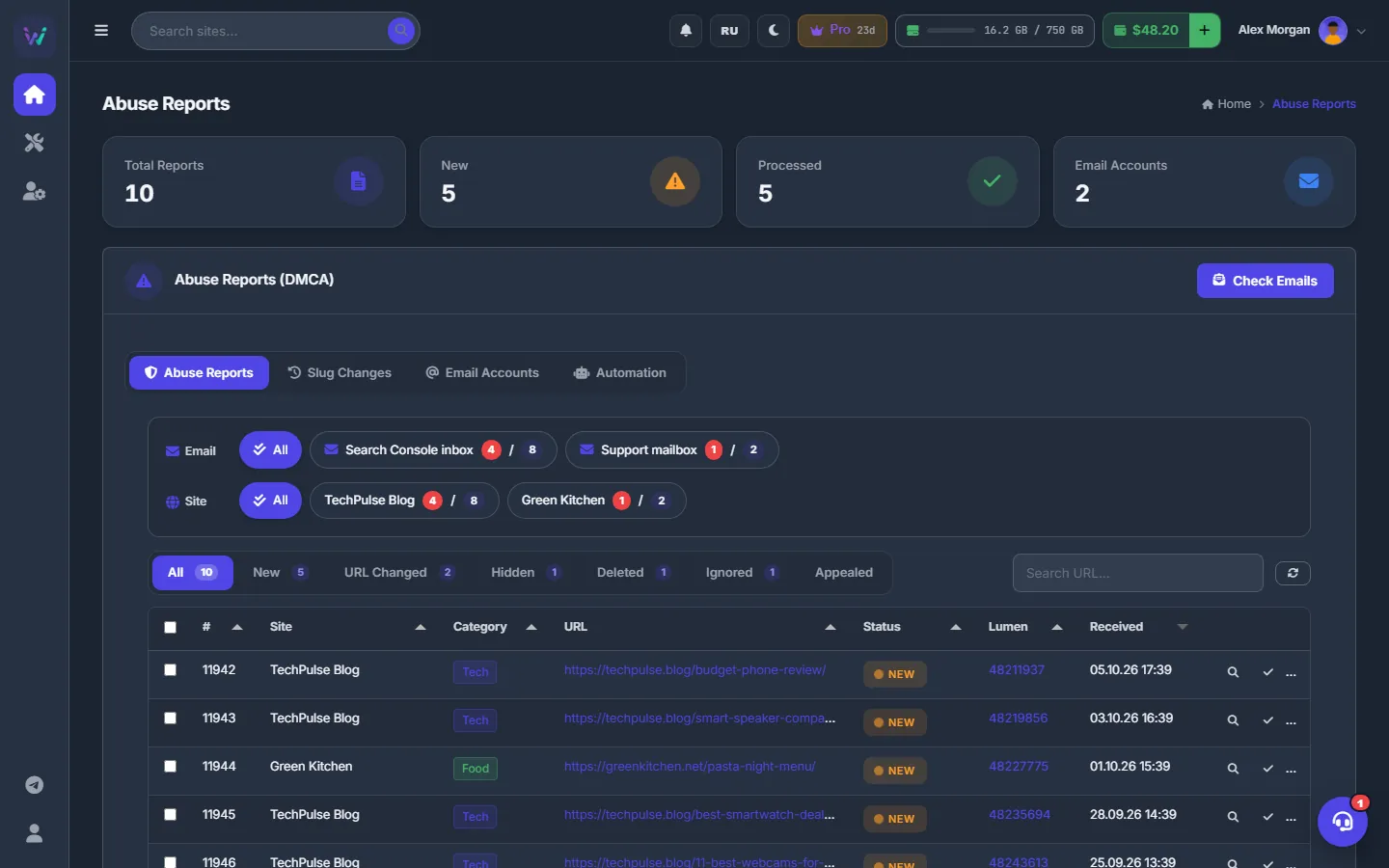
The panel reads Google's DMCA notices from your mailbox and finds the posts. Change the URL, hide the post, trash it or skip — one by one or in bulk; URL changes can be rolled back.
Download → upload → write → publish chains that run on the server, Publish with AI for whole batches of videos, forum posts in bulk, and an agent that knows your sites and changes nothing without your OK.
Built-in analytics — no Google Analytics needed — plus Search Console, Bing and GA4, the position of every post, AI SEO advice, PageSpeed and Core Web Vitals of real visitors.
Cloud storage in the panel, server-side downloads from premium hosts, links and torrents, uploads to many hosts at once, pictures to image hosts, a video and a photo studio.
A template for every forum and ready posts for dozens of files at once: download links, screenlists and AI text. Export one .txt or a zip for themaPoster; no site is needed.
Cut, convert, crop, blur and watermark videos, and batch a whole folder with one preset. Screenlists, frames and photo collages are here too.
Ask about your sites in plain words: traffic, uptime, updates, dead links, backups, payments. The agent prepares changes to posts, plugins, themes or Cloudflare and runs them only after you press Confirm.
Ready videos you buy from the balance or order by links, sent straight to your Files or the conveyor. In the Store: themes, site engines and plugins that the team installs on your site.
Dedicated servers, VPS and seedboxes with 35+ apps, such as rTorrent, qBittorrent, Plex and Jellyfin. The first month is paid from your balance and then renews from it; the team sets the server up and the access data appears on the order.
Order access to a site: give its address and describe what you need. The team does the work and sets the price; you pay from your balance and the access data opens. Typical prices are $10 to $20 and more, with a 7-day guarantee.
telegram
Link Telegram once in your profile: press the button, press Start in our bot, nothing to type. From then on the panel writes to you the moment something happens — no need to keep a tab open.
how it works
Add a site by name and address, install the free WPManager API plugin and paste its key. About a minute per site; WordPress 5.6+ and PHP 7.4+.
Status, speed, security, links, traffic and backups of every site on one screen — and a Telegram message the moment something breaks.
Backups, link scans, conveyor runs and AI posts run on the server — start them and close the browser. Uptime checks, the nightly malware scan and the daily PageSpeed test run by themselves.
Spend the hours you got back on new sites, and move to a bigger plan when you add sites.
Connect your first site in about a minute.
pricing
Every new account starts with a 30-day free trial: 3 sites, 5 GB of storage and 100 GB of traffic. A plan sets how many sites you connect, how much storage you get and how much traffic is included each month; monitoring, security, backups and link tools come with every plan. Extra storage, extra sites, traffic over the allowance, AI, torrents, premium downloads and video conversion are pay-as-you-go from the same USD balance — top it up with crypto, and switch auto-renewal off whenever you like.
For your first handful of sites.
$100/yr · save 17%
For a growing network of sites.
$290/yr · save 17%
For agencies and large content networks.
$990/yr · save 17%
For the biggest fleets and hosting-scale networks.
$2,490/yr · save 17%
Free trial: 30 days, 3 sites, 5 GB, 100 GB of traffic. When it ends, buy Basic or a bigger plan on the Plans page; until you do, the account is on hold — sites paused, tools locked, nothing deleted.
Prices in USD, paid from your balance. Switch auto-renewal off in one click — the plan runs to its end date and your sites and files stay.
storage
Need more room than the plan gives? Add whole terabytes on the Plans page. The add-on renews with the plan and can be removed once your files fit.
traffic
Every plan includes outgoing traffic each month. Backup traffic moved through the panel beyond that allowance is charged from the balance once a day.
sites
One or two sites over the limit? Add sites on the Plans page instead of moving up a plan; they renew with it.
torrents
Torrents run on the server through a VPN. Seeding costs $0.50 per TB uploaded.
video studio
Video conversion is billed by the processor time a job takes, above the minutes your plan includes.
ai
No AI subscription: each request is charged from your balance, and the panel shows what every answer cost.
premium
Downloads through your own premium accounts cost nothing extra. Through WPManager's shared premium accounts they are billed per GB at that file host's price.
top-up
From $10. USDT (TRC20) is credited automatically in about a minute; BTC, ETH, TON, SOL and more go through NOWPayments. No bank card needed.
Free on every plan: SFTP / FTP / WebDAV access to your storage, site backups, monitoring, PageSpeed and security scans.
faq
Only the free WPManager API plugin on your WordPress sites (WordPress 5.6+ and PHP 7.4+). The panel works in the browser, and your sites stay with your hosting — WPManager connects to them over the internet. Without the plugin the panel can still watch whether a site answers.
No. Forum posts, file storage, the video and photo studios, the content store, hosting and access orders all work without a site. Add sites when you want their monitoring, WordPress updates and backups.
Yes. The Hosting section offers dedicated servers, VPS and ready app hosting, including a seedbox with 35+ apps such as rTorrent, qBittorrent, Plex and Jellyfin, with live stock and prices. The first month is paid from your balance and then renews from it, unless you switch auto-renewal off. The team sets the server up, and the access data appears on the order.
You send the team the address of a site and describe the access you need. The team does the work and sets the price; you pay from your balance and the access data opens. Typical prices are $10, $14, $15, or $20 and more, with a 7-day guarantee.
The catalogue has Keep2Share, TezFiles, FileBoom, DaoFile, TakeFile, 1Fichier, Rapidcloud.cc, Hotlink.cc, WayShare and FlorenFile. Any other XFileSharing-based host can be added by hand, and hosts with FTP upload work for uploads.
The Scanner finds which files behind your links are gone. If you keep copies — on your own FTP, or made by the Backups page from your XFileSharing, WayShare and FlorenFile accounts — the panel uploads the file to your account on the same host and puts the new link into the post. Files that are still in your account are relinked without uploading at all.
No. The agent prepares changes and runs them only after you press Confirm. Publish with AI shows every post for review before it is created, and conveyor plans do only the steps you put in them.
Yes. Every new account gets 30 days free: 3 sites, 5 GB of storage, 100 GB of traffic and every tool. Three days before the end the panel reminds you in Telegram. To go on, top up and buy Basic or a bigger plan on the Plans page — a top-up alone does not buy a plan. If you don't, the account is put on hold: sites are paused and the tools lock, but nothing is deleted; buy a plan and everything comes back.
Everything is paid from one USD balance. Top it up with USDT on TRC20 — credited automatically in about a minute — or with BTC, ETH, TON, SOL and 300+ other coins through NOWPayments. The panel never asks for card details.
No. With a scoped Cloudflare token the protections work at the edge, including country blocking, cache purge and Under Attack mode. Without Cloudflare the WPManager plugin's own firewall blocks addresses and ranges inside WordPress.
No. Downloads, uploads, conveyor runs, scans, backups and restores run on the server. Close the tab and check the Tasks page or the Conveyor later — or wait for the Telegram message.
Switch off Auto-renew from balance on the Plans page. You keep the plan until its end date and nothing more is charged for it. Nothing is deleted: when the plan ends, your sites are paused and the tools lock until you choose a plan again.
Each account sees only its own sites, files and purchases. Your password is stored only as a hash, and the WordPress plugin answers only requests that carry your site's API key, which you can regenerate at any time. When support helps you, they open your panel in a read-only view where nothing can be changed or charged.
Yes. The panel, this site and the guide are in English and Russian, with a dark and a light theme. Switch with EN / RU at the top.
Create an account, connect your first site in a minute and let the panel watch your sites, rescue dead links and publish for you — while you build the next site.
sign up → install plugin → add site → automate
Already have an account? Sign in
referral program
Share your personal link. Everyone who signs up through it is your referral for good: 10% of everything they spend in the panel lands on your balance every hour. Their prices don't change — WPManager pays your share.
Counted: plans, AI, storage, traffic, premium downloads, conversion and the rest. Not counted: Store and Content store purchases and Store invoices.