
Image hosts: pixhost, pimpandhost, PicState
Connect picture hosts once, then upload screenlists, frames and photos from your storage in one click. You get direct links, thumbnails and forum code, and Publish with AI and the post templates use the same hosts.
On this page
Where to find it: Links & files → File Hosters → tab “Image hosts”. Uploads start from Links & files → Files → “To image host”.
Before you start
- For PicState — an account on picstate.com. pixhost needs no account; pimpandhost works as a guest or with an account.
Connect an image host
-
Open the Image hosts tab
Go to Links & files → File Hosters and open the “Image hosts” tab. With no hosts yet, press “Add pixhost” — it needs no account.
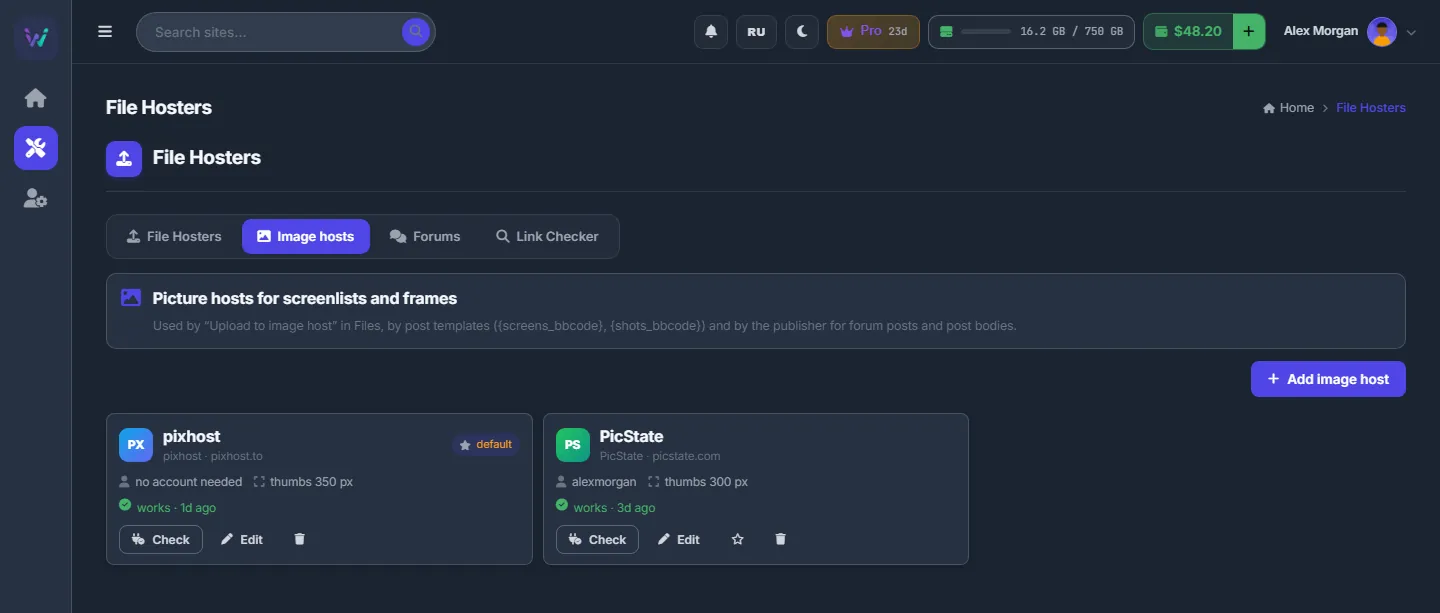
Fig. 1 Two image hosts: pixhost is the default, PicState works with an account. -
Add a host
Press “Add image host” and fill in the form:
- “Service” — pixhost, pimpandhost.com or PicState;
- “Domain for links” (pixhost only) — pixhost.to, pixhost.cc or pixho.st;
- “Name” — how the host is shown in lists;
- “Login” and “Password” — optional for pimpandhost, required for PicState;
- “Thumbnail size, px” — 100–800, the edge of the preview in forum code;
- “Adult (NSFW) content”, “Use by default” and “Active”.
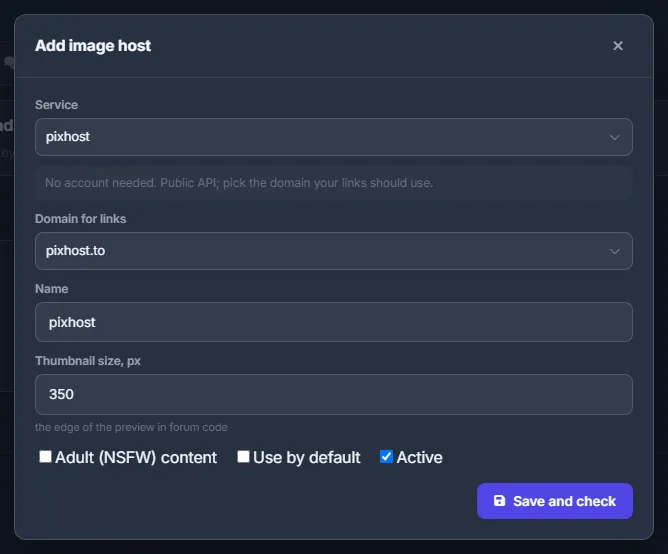
Fig. 2 pixhost needs only a domain and a name. -
Save and check
Press “Save and check”. The panel saves the host and tests it right away; the card then shows “works” and when it was checked, or the error text.
Host cards
Each card shows the service and domain, the account (or “no account needed” / “guest”), the thumbnail size, an NSFW mark if set, a “default” star and the result of the last check. The buttons:
- “Check” — tests the host again;
- “Edit” — opens the form;
- the star — makes this host the default;
- the trash icon — deletes the host. Links you already made stay in the link manager.
Upload pictures
-
Select the pictures
In Files select pictures or folders and press “To image host” — or the picture button in a row, or right-click → “Upload to image host”.
-
Choose the host and the album
Pick the “Image host”. “Gallery / album” is filled with the folder name; it groups the pictures on hosts that support albums. Tick “Include subfolders” if you need them.
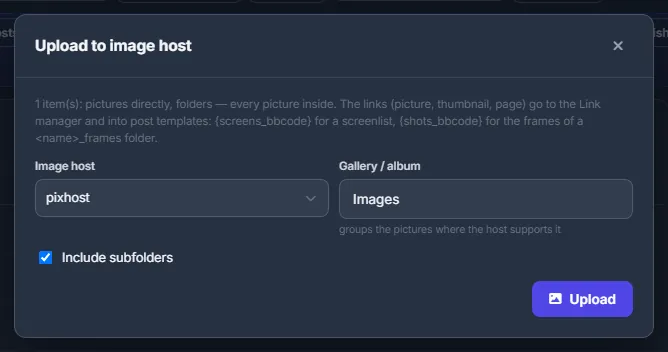
Fig. 3 A whole folder goes to the default host as one album. -
Press “Upload”
One task uploads all the pictures; follow it on the Tasks page.
Use the links
The direct link, the thumbnail and the page of every picture go to the link manager. Choose “BBCode” there to get thumbnails linked to the host’s page, or press “BB” on one picture.
Post templates use them too: {screens_bbcode} inserts the screenlist and {shots_bbcode} the frames of a <name>_frames folder. Publish with AI uses your default host for the pictures of forum posts and post bodies — see Forum posts and themaPoster export and Publish with AI.
Limits
- Formats: JPG, JPEG, PNG, GIF, WebP, AVIF.
- Size of one picture: up to 10 MB on pixhost and PicState, up to 5 MB on pimpandhost. A bigger picture stops the task with a message.
- Up to 500 pictures per upload.
Settings
| Setting | What it does |
|---|---|
| Domain for links | pixhost only: which of its domains your links use. |
| Thumbnail size, px | 100–800; the edge of the preview in forum code (default 350). |
| Use by default | Pre-selected in the upload dialog and used by Publish with AI. |
| Adult (NSFW) content | The flag that hosts which ask for it receive with your uploads. |
| Active | Only active hosts are offered in the upload dialog. |
Costs
Free in the panel. The image hosts’ own rules apply.
Troubleshooting
| What you see | What to do |
|---|---|
| “No image host yet — add pixhost, pimpandhost or PicState on the File Hosters page (Image hosts tab)” | Add a host on the “Image hosts” tab. Only active hosts are offered. |
| “PicState needs the login and password” | PicState works with an account only — fill in both fields. |
| “No pictures selected (jpg, png, gif, webp)” | The selection has no supported pictures. Check the formats or the folder. |
FAQ
Which host should I start with?
pixhost: it needs no account, so “Add pixhost” gets you going in one click. Add pimpandhost or PicState later if you need them.