
Bing Webmaster Tools
Paste a free Bing Webmaster API key to see Bing clicks, impressions, CTR, indexed pages, top queries and pages and crawl health, and to send new URLs to Bing for indexing. The same key powers keyword research for all your sites.
On this page
Where to find it: Overview → Dashboard → click the site → Analytics → “Bing”.
Before you start
- The site is added and verified in your Bing Webmaster Tools account. Bing can import sites from Google Search Console, which makes this quick.
Connect Bing
-
Get the API key
In Bing Webmaster Tools open Settings → API access → API key and copy the key. The “Open Bing Webmaster Tools” link in the panel takes you there.
-
Paste it and connect
Open Analytics → “Bing”, paste the key into the “Bing Webmaster API key” field and press “Connect”. While the button says “Checking…”, the panel looks for the verified Bing site that matches your domain. If it cannot tell which one, a prompt “Which verified Bing site is this?” lists your Bing sites — type one of them exactly as shown.
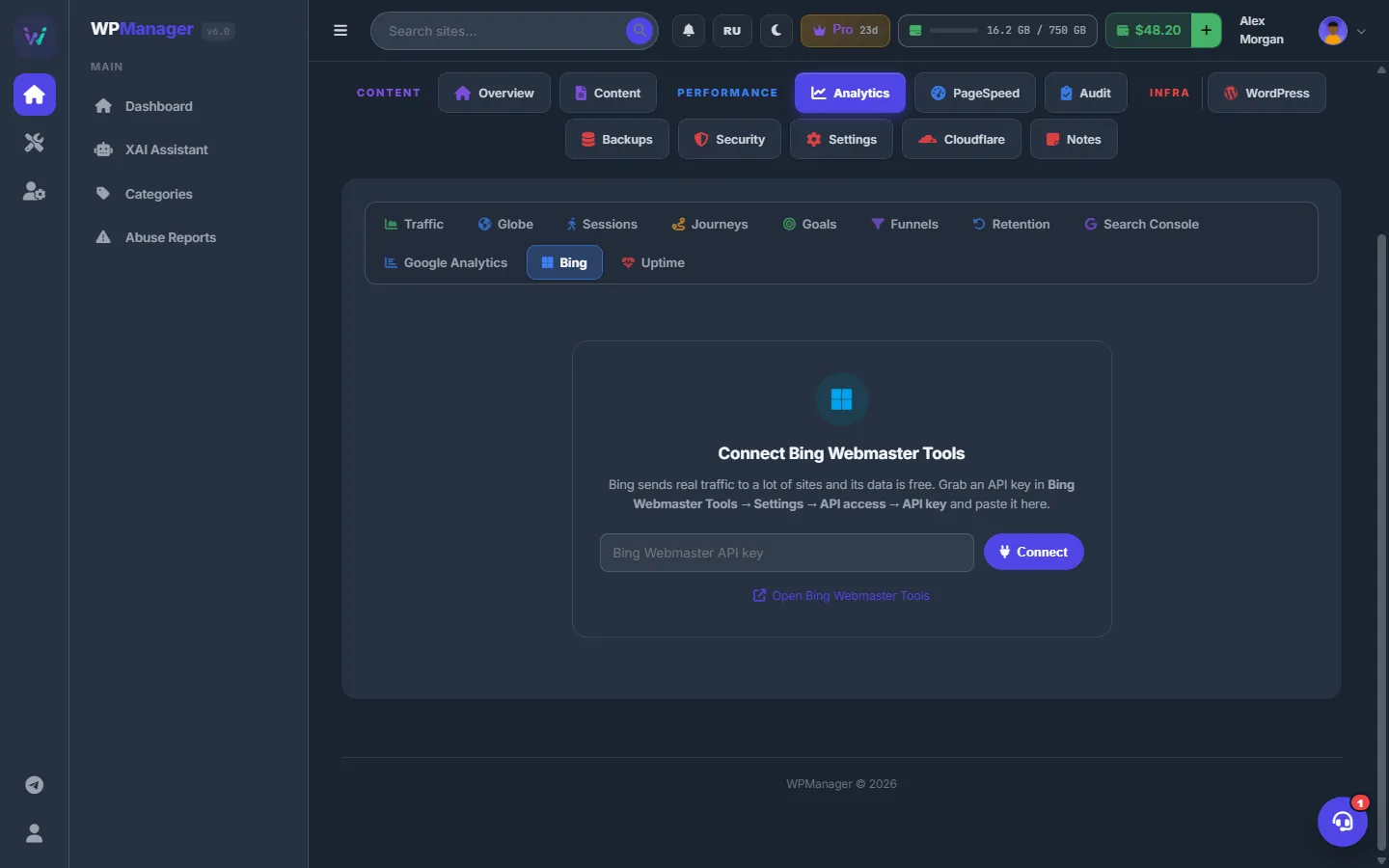
Fig. 1 Paste the Bing Webmaster API key and press “Connect”.
Read the dashboard
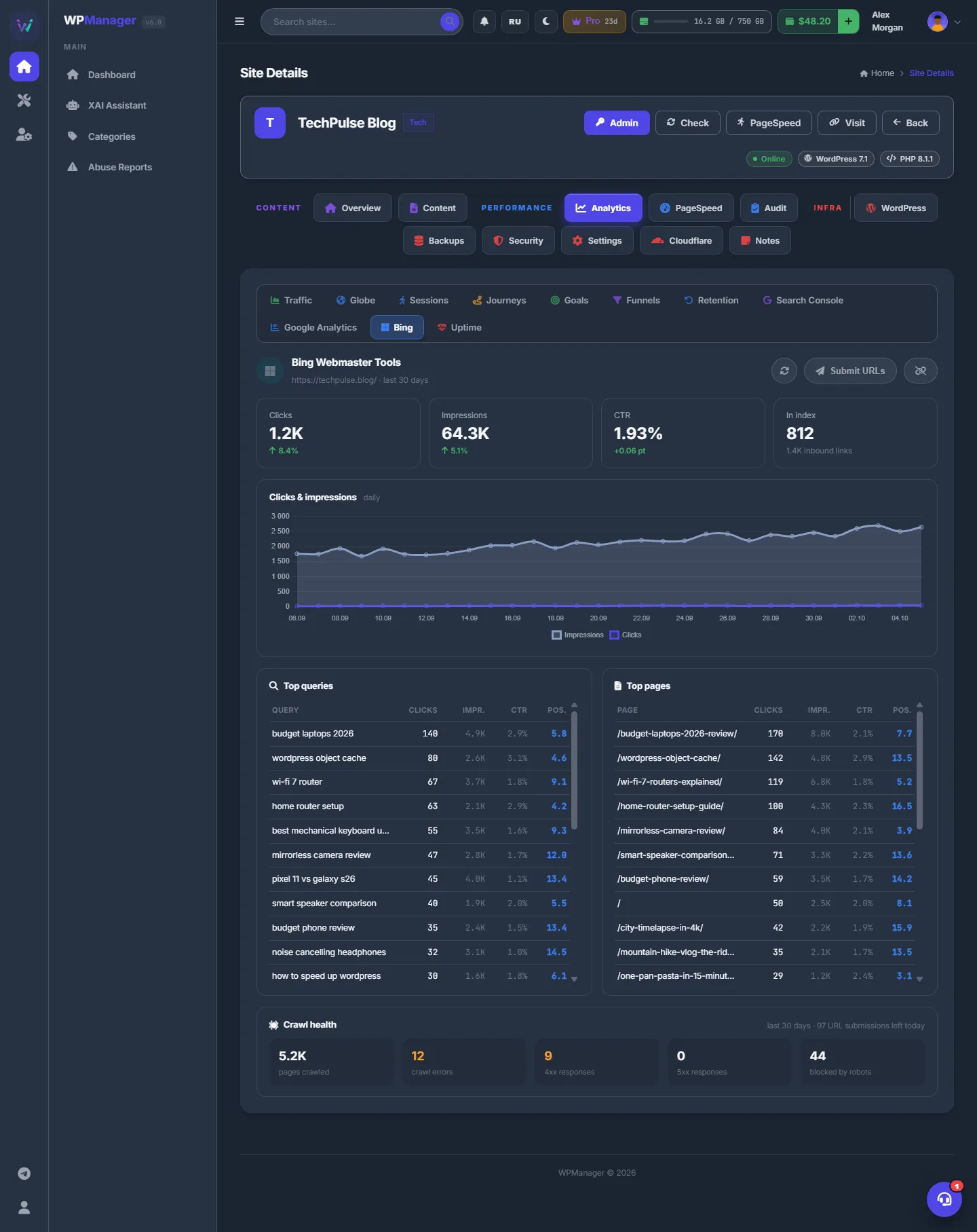
“Bing Webmaster Tools · last 30 days” shows:
- Clicks and Impressions with the change in %, CTR with the change in points, and In index with the number of inbound links;
- the “Clicks & impressions” chart by day;
- “Top queries” and “Top pages”, 25 each, with clicks, impressions, CTR and position;
- “Crawl health”: pages crawled, crawl errors, 4xx and 5xx responses, pages blocked by robots.txt, and how many URL submissions are left today.
Submit URLs for indexing
-
Open the submit window
Press “Submit URLs”.
-
Enter the addresses
One address per line (commas work too). Only http(s) addresses are taken, up to 500 per submission and within your daily Bing quota — the remaining quota is shown in “Crawl health”.
-
Send
“Submitted N URL(s) to Bing” confirms that Bing accepted them.
One key for keyword research everywhere
As soon as Bing is connected on any one of your sites, the keyword tools of all your sites can use its key: monthly Bing searches and related searches in the “SEO Keywords” window, and “Uses the key of <site>” in the site’s “Settings” → “SEO data”. See Keyword data and scores.
Refresh and disconnect
The circular-arrow button reloads the data. The unlink button disconnects Bing from this site after a confirmation; the key stays valid in your Bing account.
Costs
Free. Bing Webmaster data costs nothing, and the connection uses no balance and no plan feature.
Troubleshooting
| What you see | What to do |
|---|---|
| “Bing rejected the key: …” | Copy the key again from Settings → API access in Bing Webmaster Tools, and check that no spaces were added. |
| “The key works but no verified sites are attached to that Bing account” | Add and verify the site in Bing Webmaster Tools (it can import sites from Google Search Console), then connect again. |
| “That site is not verified in this Bing account” | The address you typed in the prompt is not in the list. Type it exactly as shown. |
FAQ
Is Bing worth it?
Bing sends real traffic to many sites, its data is free, and its key also improves the keyword scores in the panel for all your sites.
Do I need a separate key for each site?
For the Bing dashboard of a site, connect that site. One Bing key covers every site verified in that Bing account, so you can paste the same key on each.