
Journeys, goals and funnels
Journeys show the paths visitors take through your site. Goals count how many visits reach a page or fire an event. Funnels show at which step of a sequence visitors drop off.
On this page
Where to find it: Overview → Dashboard → click the site → Analytics → “Journeys”, “Goals” or “Funnels”.
Before you start
- The WPManager plugin is installed and connected on the site (site page → “Settings” → “Connection”). Its visit counter is added to every public page; nothing else has to be installed. See Installing and connecting the WPManager plugin.
- WPManager plugin 7.1 or newer on the site.
- For event-based goals and funnel steps: your site sends custom events with
wpm('name')— see Sessions and events.
Journeys: how visitors move
-
Choose the depth
Open “Journeys” and pick 2, 3 (default), 4 or 5 steps — the first pages of a visit — and the period. The cards show “Sessions traced”, “Went past page 1” (with its share) and “Distinct paths”.
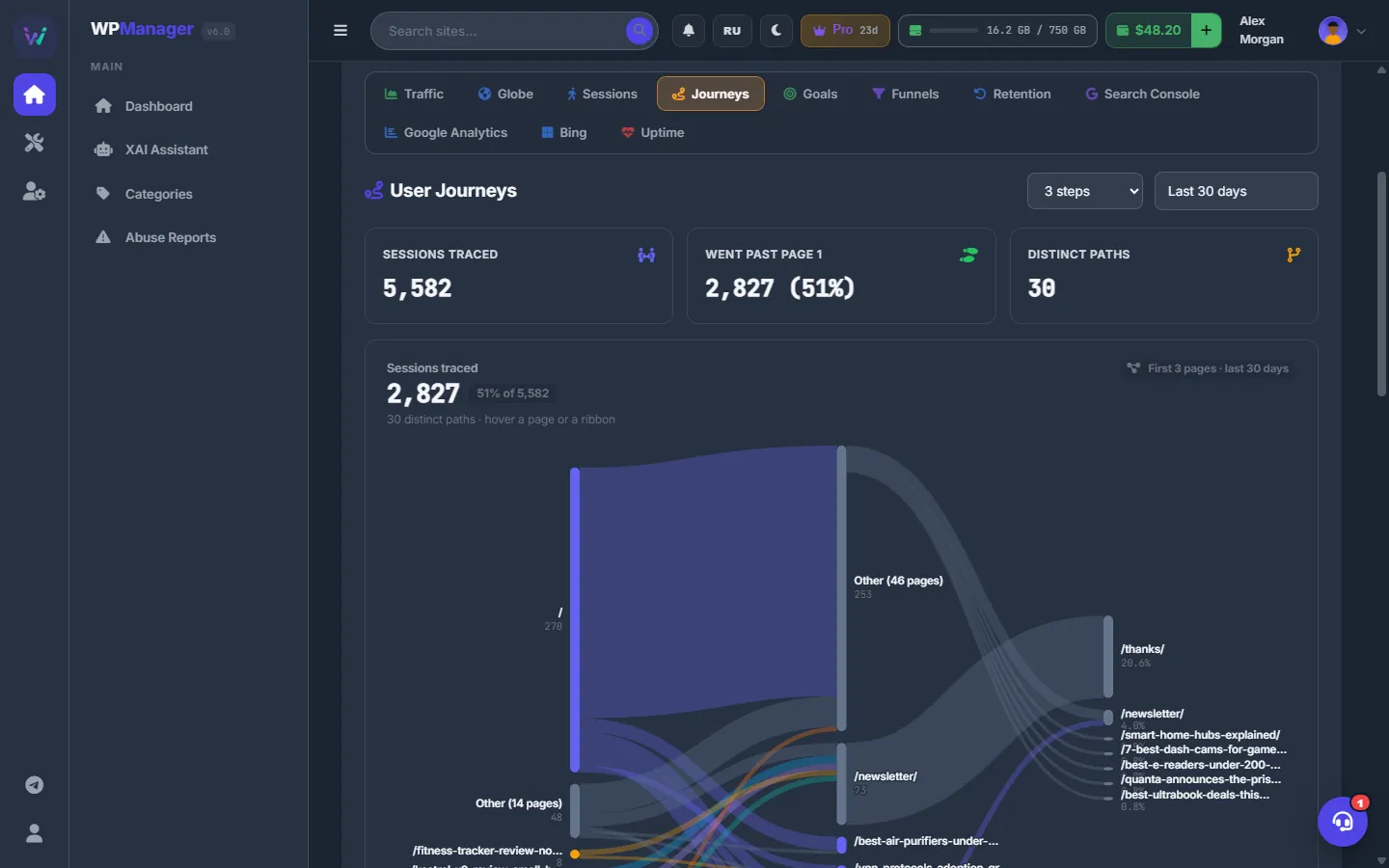
Fig. 1 How visitors move through the site, step by step. -
Read the flow
The flow diagram has one column per step; the ribbons between columns are the moves from page to page. Each column keeps its 7 busiest pages and folds the rest into “Other (N pages)”. Hover a page or a ribbon to see its sessions and share.
-
Check the top paths
Below the diagram, “Top paths” lists the most common sequences with their sessions and share. Each page in a path links to the site.
Goals: count conversions
-
Add a goal
Open “Goals” and press “Add goal”. Fill in:
- Name — how the goal is shown;
- Type — “Page visited” or “Custom event fired”;
- Pattern — for pages, an exact path such as
/thanks/or a wildcard such as/tag/*(query strings are ignored); for events, the name passed towpm('name')on the site.
Press “Save”.
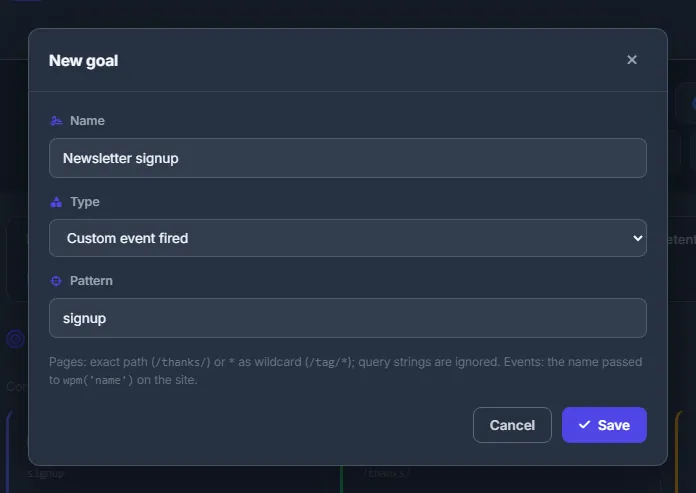
Fig. 2 A goal is a page pattern or a custom event name. -
Read the results
Each goal card shows the conversion rate — sessions that reached the goal divided by all sessions of the period — the number of conversions and a small chart by day. The pencil edits a goal, the trash deletes it.
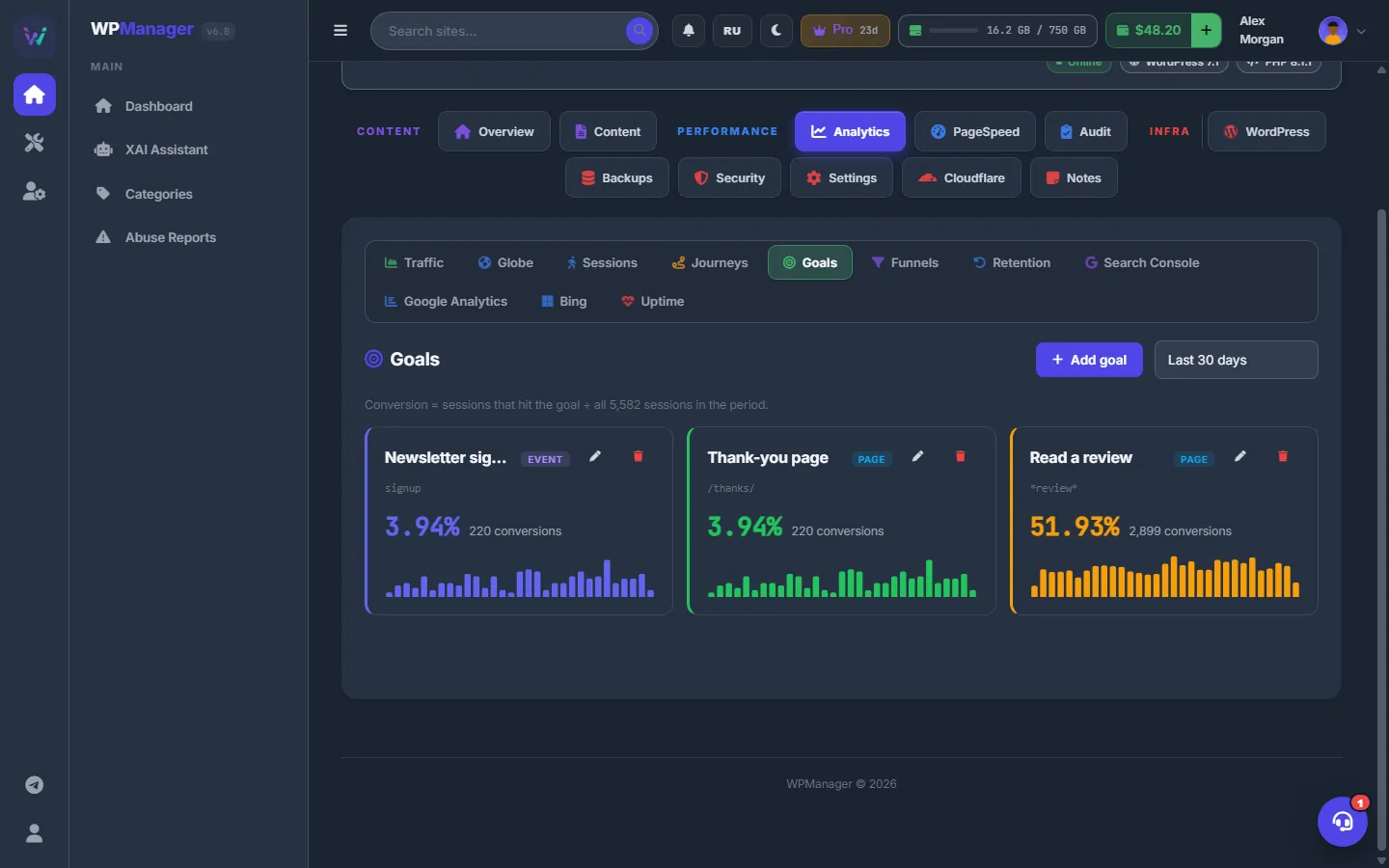
Fig. 3 The conversion rate of each goal with its daily trend.
Funnels: find the drop-off
-
Build a funnel
Open “Funnels” and press “Add funnel”. Give it a “Name” and fill “Steps (in order)”: each step has a “Label”, a type (“Page” or “Event”) and a pattern —
/path/*or an event name. “Add step” adds a row, × removes one. A funnel needs at least 2 steps and keeps at most 8. Press “Save”. -
Read the bars
Each funnel shows a bar per step with the number of sessions, the share of all sessions and the share kept from the previous step — green from 50 %, red below. A step counts only after the previous one, in the order the events happened. The pencil and the trash in the card edit or delete the funnel.
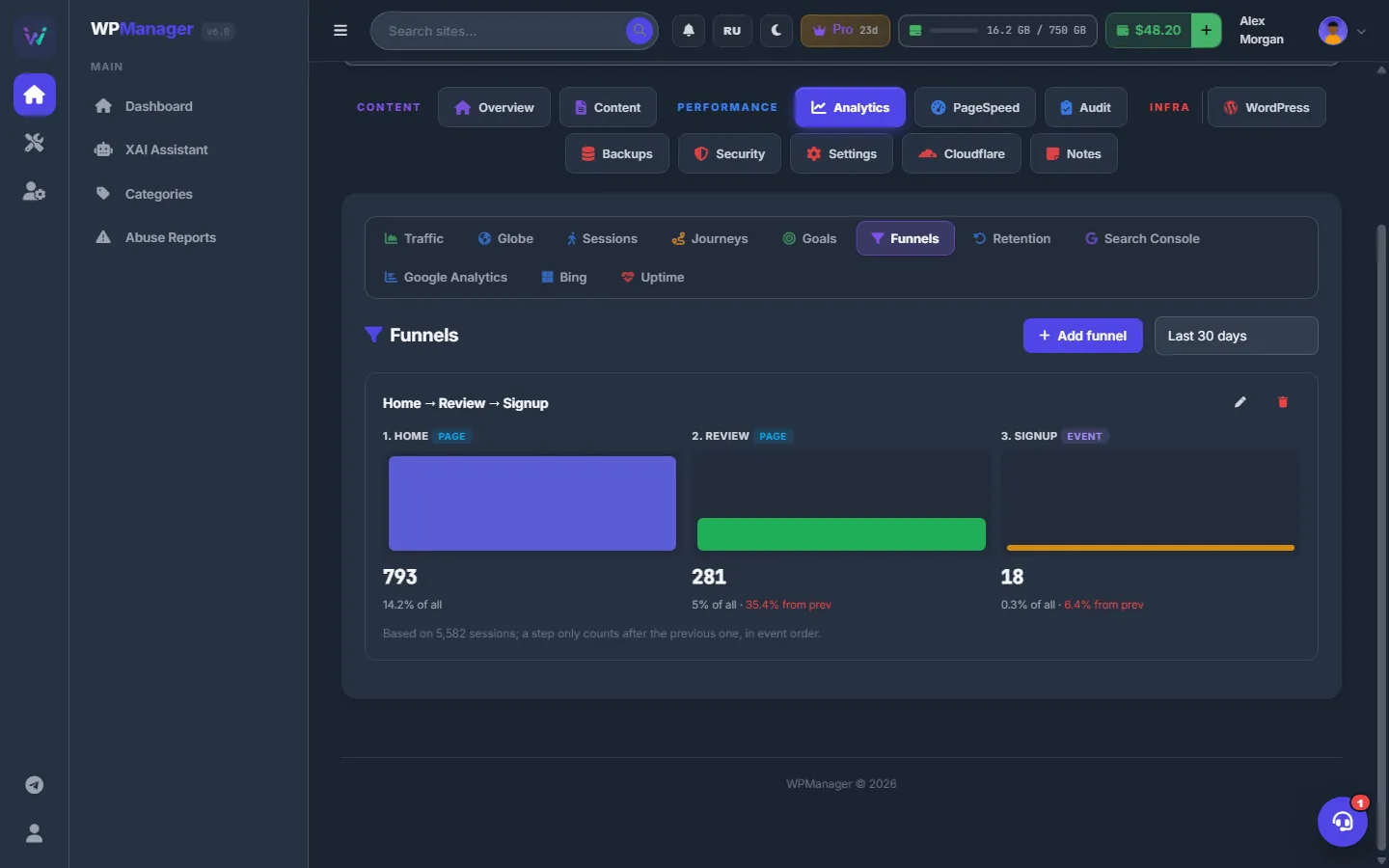
Fig. 4 A funnel shows where visitors drop off.
Where goals and funnels live
The goal and funnel definitions are stored in the panel; the counting runs on the site’s own event data, so nothing is copied off your server. You can add a goal at any time: it is calculated over the history already collected for the chosen period.
Settings
| Setting | What it does |
|---|---|
| Journey steps | 2, 3, 4 or 5 first pages of a visit. |
| Goal type | “Page visited” (path or wildcard) or “Custom event fired” (event name). |
| Funnel steps | 2 to 8 steps, each a “Page” or an “Event” with a pattern. |
Costs
Free.
Troubleshooting
| What you see | What to do |
|---|---|
| “No paths yet” | Paths need visits with more than one page. Wait for more traffic or choose a longer period. |
| “Pattern is required” / “A funnel needs at least two steps” | Fill in the pattern. Funnel steps without a pattern are dropped, so give at least two steps a pattern. |
| “Could not evaluate this funnel (plugin v7.1+ needed on the site).” | Update the WPManager plugin on the site. |
| A goal stays at 0 % | Check the pattern: page paths start with /, and an event name must match the name your site sends, letter for letter. |
FAQ
Does a goal count a visitor twice?
Conversions are counted per session: a session that reaches the goal several times counts once.
Do I lose history if I edit a goal?
No. Goals are calculated from the visit data on your site, so an edited goal is simply recalculated for the chosen period.