
Link Checker: check a list of links
Paste up to 500 file-host links, or load them from a .txt file, and see right away which files are alive and which are dead, with their names and sizes. Export the result to CSV when you need it elsewhere.
On this page
Where to find it: Links & files → File Hosters → tab “Link Checker”.
Before you start
- The hosts of the links are added as your accounts on the “File Hosters” tab. A link is recognised by the link pattern of your account — see File host accounts.
Check a list of links
-
Open the tab
On the File Hosters page click the “Link Checker” tab.
-
Add the links
Paste the links into “Enter URLs (one per line)”, or click “Load from file” and choose a .txt file — its lines go into the box. Only lines that start with
http://orhttps://are checked.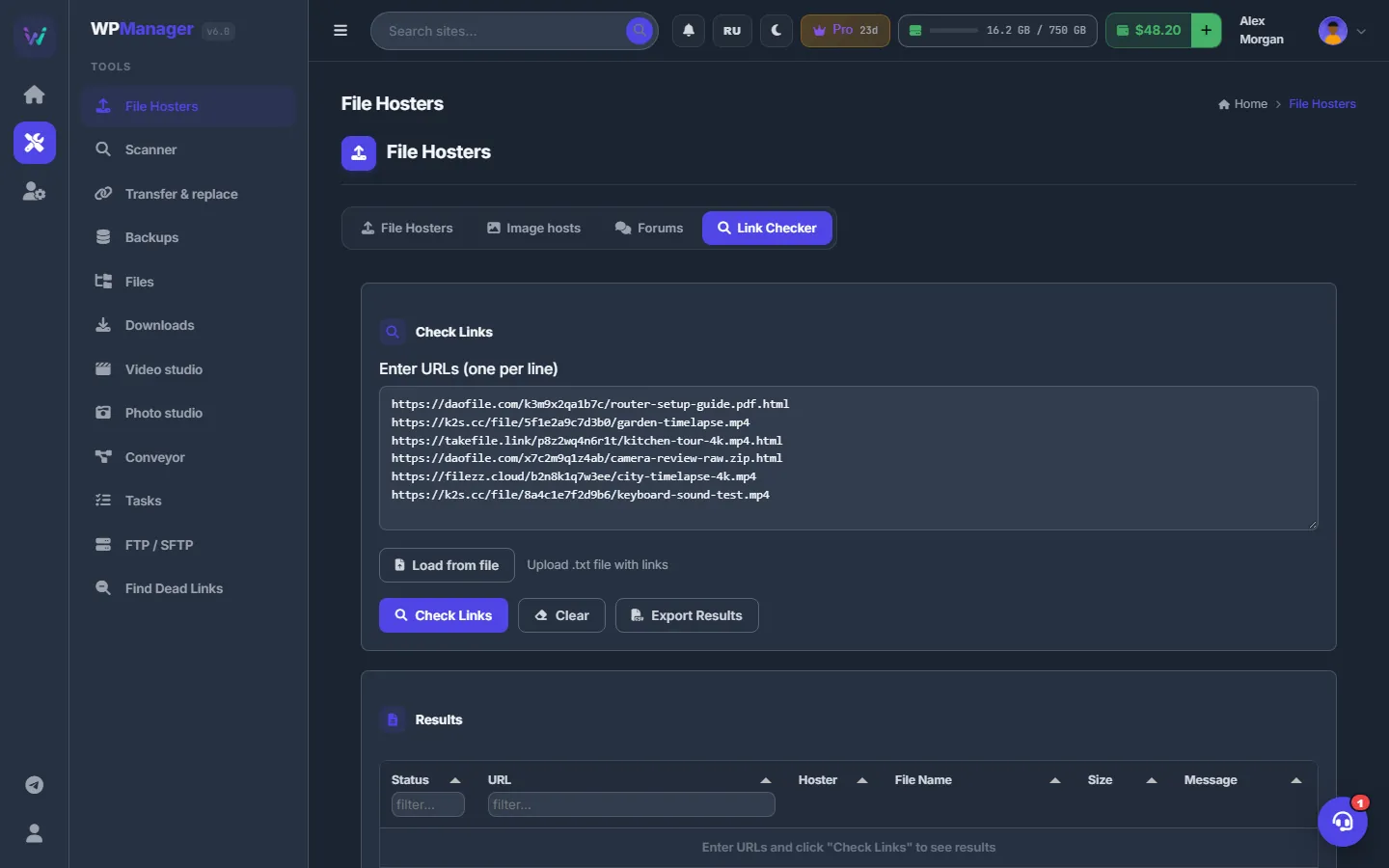
Fig. 1 Links pasted one per line. “Load from file” fills the box from a .txt file. -
Run the check
Click “Check Links”. Up to 500 links are checked in one go; extra lines are dropped with the warning “Maximum 500 URLs allowed per batch”. A progress bar shows “Checked: N / M”.
-
Read the results
The “Results” table lists Status (Active, Dead, Unknown or Error), URL, Hoster, File Name, Size and Message, 20 rows per page. Type in the header of the Status or URL column to filter. Above the table you see Total, Active, Dead and Errors.
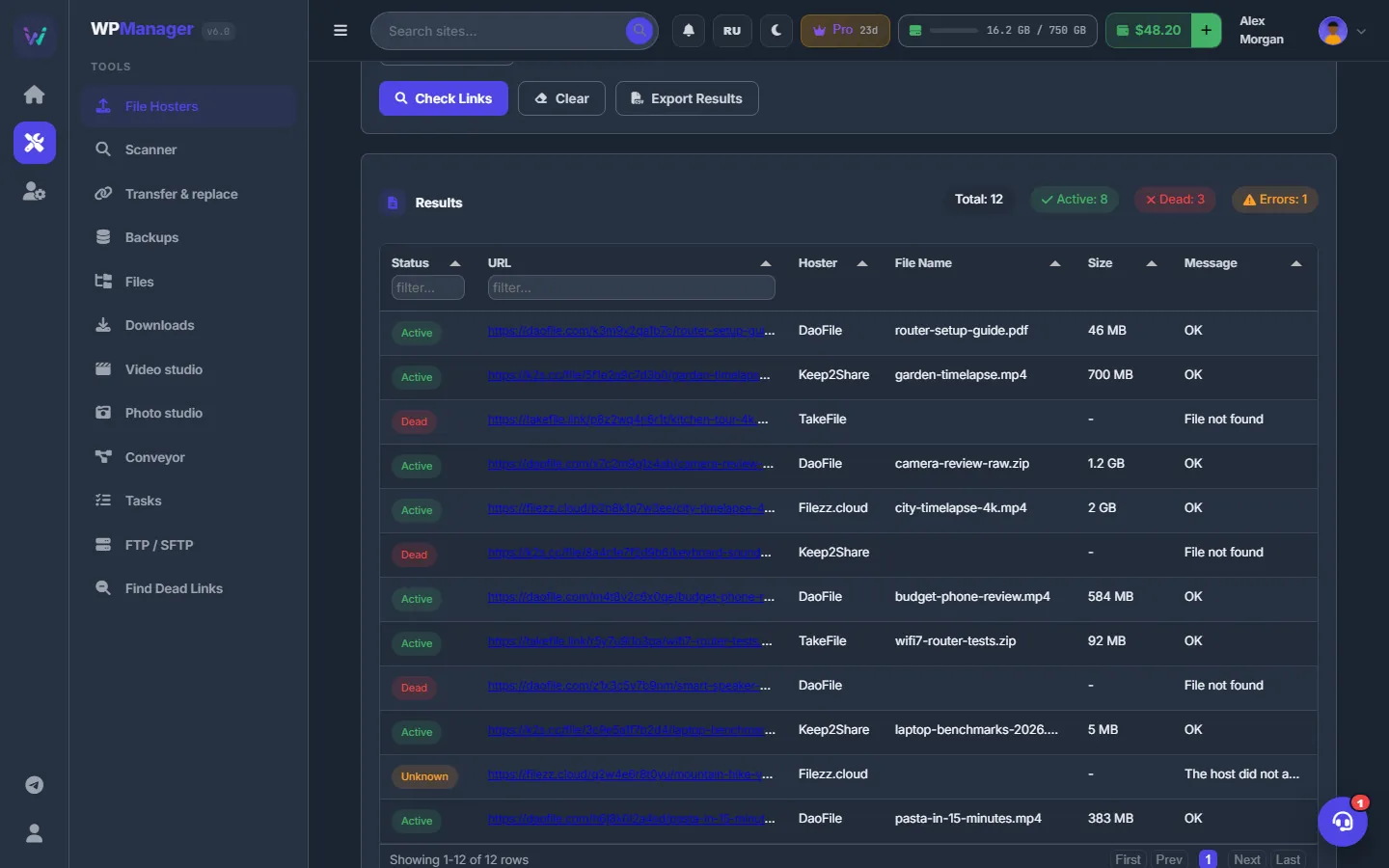
Fig. 2 The summary above the table and one row per link with its status, host, file name and size. -
Export or clear
“Export Results” downloads
link_check_results_<date>.csvwith the columns Status, URL, Hoster, FileName, FileSize and Message. “Clear” empties the box and the table.
How a link is checked
| Link | How it is checked |
|---|---|
| Matches none of your accounts | Not checked: status “Unknown” with the message “Unknown file hoster”. |
| XFileSharing account with API key and API URL | The host’s API is asked — status, file name and size. |
| Keep2Share family | The file status comes from the Keep2Share API (“Available” / “Not available”). |
| Any other host | A plain web request: an answer in the 2xx range counts as Active, anything else as Dead. |
| Host not reachable | Status “Error”. |
The tool only reads. It changes nothing on your sites and keeps no history — the results are gone when you reload the page, so export them first if you need them.
Costs
Free.
Troubleshooting
| What you see | What to do |
|---|---|
| Every link is “Unknown” | Add the host as an account on the “File Hosters” tab, picking it from the catalogue. An account added as “Your own hoster” recognises links whose address matches its “Site URL”. |
| “No valid URLs found” | Each line must start with http:// or https://. |
| “Maximum 500 URLs allowed per batch” | Only the first 500 links were checked. Check the rest in another batch. |
FAQ
Are the results saved anywhere?
No. The Link Checker keeps no history; use “Export Results” to save a CSV before you leave the page.
Does the check change the status of links found by the Scanner?
No. The Link Checker only reads and shows the answer. The statuses in the Scanner and in Find Dead Links come from scans.