
Finding and removing duplicate posts
The Duplicates tool reads every post of the site, groups the posts that have the same title and lets you delete the extra copies in one go, keeping the oldest post of each group.
On this page
Where to find it: Overview → Dashboard → click the site → Content → “Duplicates”.
Before you start
- The WPManager plugin is connected on the site (see Installing and connecting the WPManager plugin).
- Recommended before a mass deletion: a fresh backup of the site, see Site backups: create, download and restore.
Find and delete duplicates
-
Start the scan
Press “Duplicates” in the Content toolbar. A progress window reads all posts of the site, 100 per request. The search box and the filters of the list do not limit it.
-
Read the result
Posts count as duplicates when their titles are identical, ignoring letter case. If there are none, you see “No duplicates found in N posts!”. Otherwise the “Duplicate Posts” window opens with a summary — “Scanned N posts. Found X duplicates in Y groups.” Each group shows the shared title and the number of posts in it. The biggest groups come first, 20 groups per page (“Prev” / “Next”).
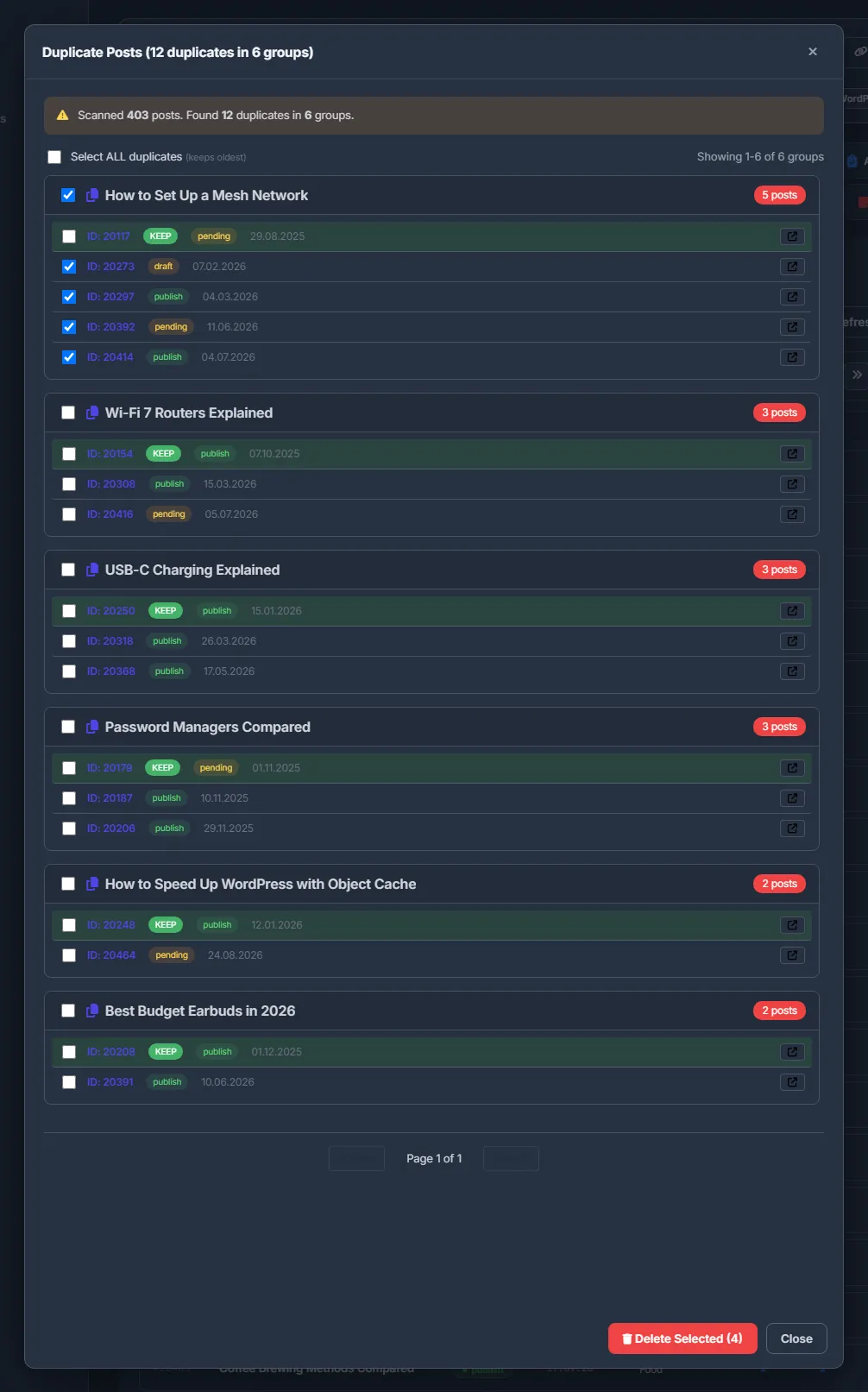
Fig. 1 Duplicate groups: the oldest post is kept, the copies are ticked for deletion. -
Choose what to delete
In each group the oldest post comes first, tinted green and marked KEEP. Every row shows the post ID, its status and its date, so you can see which copies are drafts.
- The checkbox in a group header ticks every post of the group except the oldest.
- “Select ALL duplicates (keeps oldest)” ticks the copies in all groups on all pages.
- You can also tick single posts. The link button at the end of a row opens the post on the site, to compare the copies.
-
Delete
Press “Delete Selected” and confirm “Delete N selected posts?”. The posts are deleted five at a time with a progress bar; failed deletions are counted separately. When it finishes, the window closes and the post list reloads.
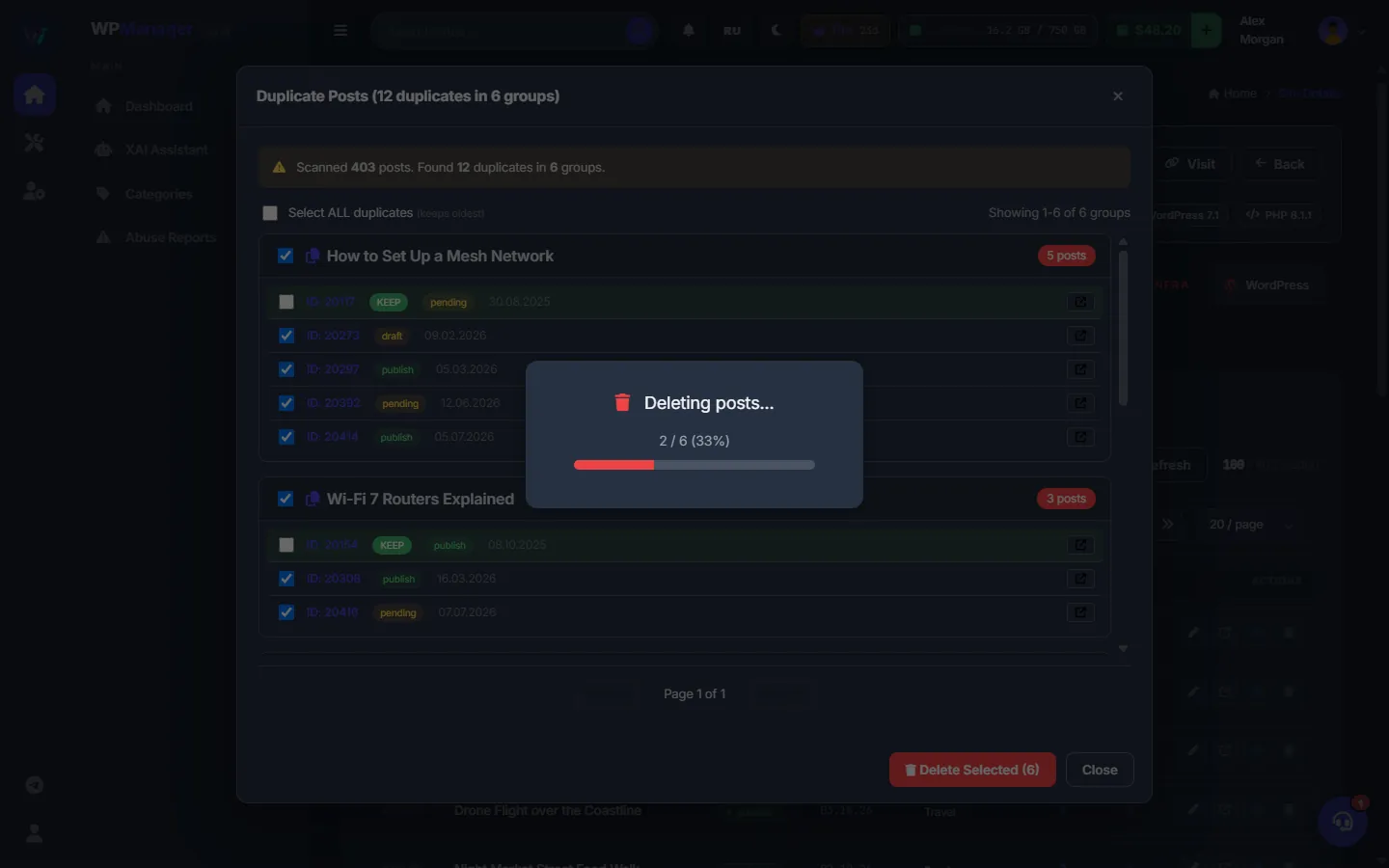
Fig. 2 The ticked copies are deleted with a progress bar.
Which post is kept
Posts inside a group are sorted by their publish date, and the earliest one is marked KEEP. To keep a different copy, untick it and tick the KEEP post instead — the tool deletes exactly what is ticked.
Costs
Free.
Troubleshooting
| What you see | What to do |
|---|---|
| The result says “N deleted, M failed” | Some requests to the site did not go through: a timeout, a firewall, or the post was already removed. Run “Duplicates” again — the remaining copies are found again. |
| Posts with nearly the same title are not grouped | Only identical titles are grouped (letter case is ignored). Look for near-duplicates with the search box of the post list. |
FAQ
Are posts with similar but not identical titles found?
No, only identical titles; letter case is ignored.
Does it compare the text of the posts?
No. Only the titles are compared. Open the copies with the link button if you want to compare their content.