
Site audit: an SEO and security check
“Run Audit” checks the site’s home page and a few service files for common SEO, security, performance, accessibility and content problems, and gives a score with a clear list of passed and failed checks.
On this page
Where to find it: Overview → Dashboard → click the site → Audit tab.
Before you start
- The site is online. No plugin is needed: the panel reads the public home page the way a visitor does.
Run the audit
-
Start it
Open the Audit tab (“Site Audit”) and press “Run Audit”. The button changes to “Scanning...”; the check usually takes less than a minute.
-
Read the score
The circle shows the score: passed checks divided by all checks, times 100. It is green from 80 and amber from 50. Next to it are the “Critical”, “Warnings”, “Info” and “Passed” counters.
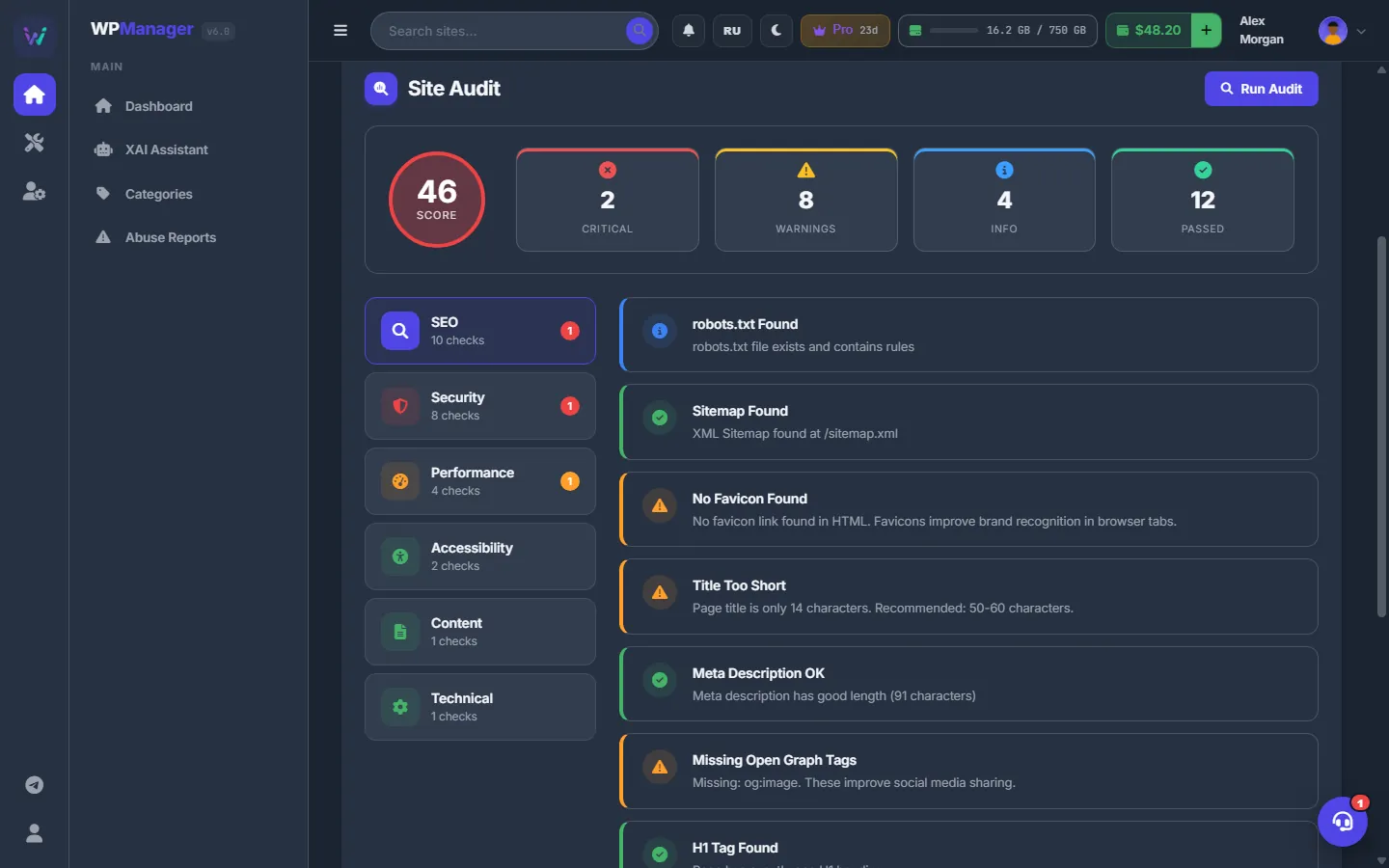
Fig. 1 The audit score with critical problems, warnings and passed checks. -
Open the categories
The list on the left has the categories SEO, Security, Performance, Accessibility, Content and Technical, each with its number of checks. A red badge counts critical problems, a yellow one warnings. Click a category to see its checks: each card has a status icon, a title, an explanation and up to five details (“+N more” for the rest). When the home page links to other domains, an External Links tab lists those links.
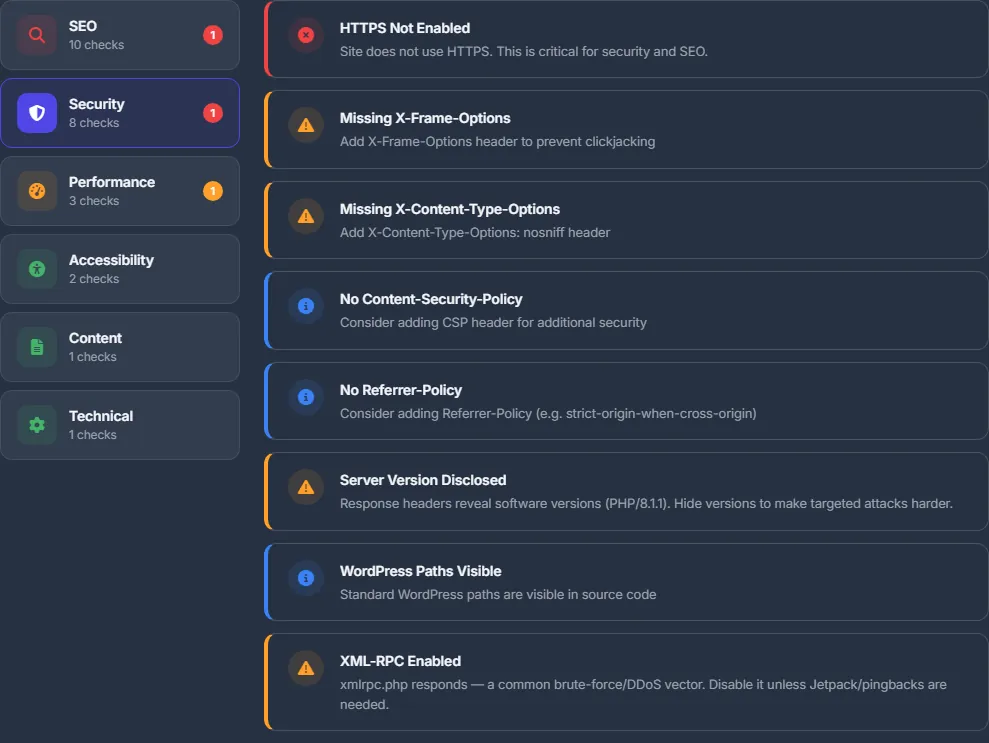
Fig. 2 Security checks: headers, WordPress exposure, XML-RPC and more. -
Fix and run again
Fix the critical items first, then the warnings, and press “Run Audit” again to confirm. The result stays on the screen until you reload the page; it is not saved.
What is checked
| Category | Checks |
|---|---|
| SEO | robots.txt, sitemap, favicon; title length (warning below 30 or above 60 characters, 50–60 recommended); meta description (warning below 70 or above 160, 150–160 recommended); Open Graph tags; H1 (none, one or several); canonical tag; noindex on the home page (critical); JSON-LD structured data. |
| Security | HTTPS; the X-Frame-Options, X-Content-Type-Options, Content-Security-Policy, HSTS and Referrer-Policy headers; server version and X-Powered-By disclosure; WordPress version exposed; WordPress paths visible; mixed content (critical); XML-RPC enabled; a public readme.html; directory listing of /wp-content/uploads/ (critical). |
| Performance | HTML size (under 100 KB is fine, above 200 KB is large); inline styles (more than 5) and inline scripts (more than 10); server response time (under 1 s passes, under 2.5 s is a warning, slower is critical); gzip or brotli compression; lazy loading of images. |
| Accessibility | Alt text of images; the lang attribute. |
| Content | Images on the page; broken links (the first 20 links of the home page are checked). |
| Technical | The viewport meta tag. “Site Unreachable” when the home page cannot be loaded. |
Only the home page
The audit looks at the home page and the service files next to it. For the rest of the site, use the Sitemaps card in Search Console (Google Search Console in the panel) and the crawl health block in Bing (Bing Webmaster Tools).
Costs
Free.
Troubleshooting
| What you see | What to do |
|---|---|
| Only “Site Unreachable” is reported | The panel could not load the home page within 30 seconds. Check that the site is up and that no firewall or Cloudflare rule blocks the panel’s requests. |
| “Audit failed” | Reload the page and run the audit again. If it repeats, the site returned an error the audit could not read. |
FAQ
How is this different from PageSpeed?
PageSpeed is Google’s lab test of speed and best practices. The audit is the panel’s own quick check of SEO tags, security headers and WordPress-specific risks. Use both.
Does the audit change anything on the site?
No. It only reads the public pages and files, like a visitor would.