
Torrents: magnets and .torrent files
Download torrents straight into your storage on the server. Add magnets, .torrent links or files, choose exactly which files you need, and follow peers, speed and ratio in the download manager.
On this page
Where to find it: Links & files → Downloads → “Torrent”. In Files: “Upload” ▾ → “Torrent / magnet”.
Before you start
- Free space for the files you choose.
Download a torrent
-
Add the torrent
On the Downloads page press “Torrent”. Paste
magnet:?xt=…links or .torrent URLs, one per line, and/or choose .torrent files from your computer. Press “Add”. Magnets and .torrent links also work in the usual “Add links” dialog.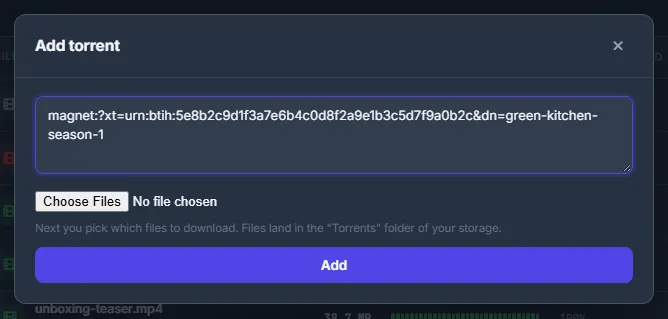
Fig. 1 Paste a magnet or pick .torrent files; the files go into the Torrents folder. -
Choose the files
The window “Choose files to download” opens for each torrent. A magnet first fetches its metadata, which can take up to a minute. Untick what you do not need: “All files” toggles everything, “Filter…” narrows the list by path, and the counter shows how many files and how many gigabytes you picked. Press “Start download” — or “Cancel and remove”.
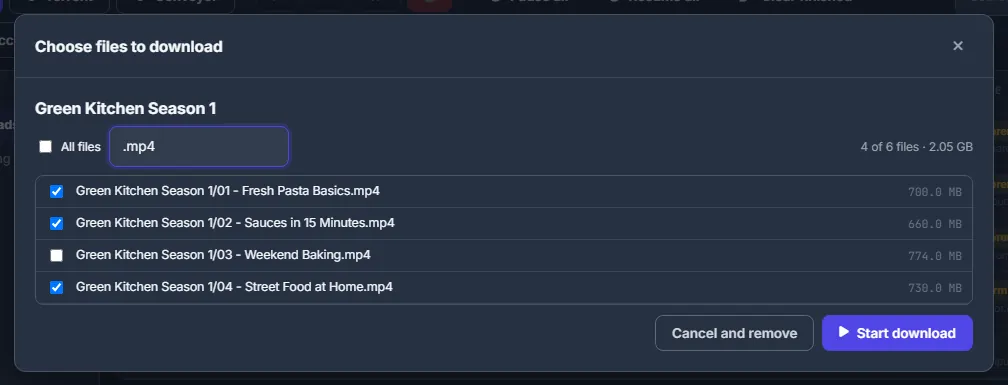
Fig. 2 A filter on .mp4 and one episode unticked: 4 of 6 files, 2.05 GB. -
Follow it in the list
Torrents appear in the same list as other downloads (type “Torrents”) with size, progress, speed, time left and the number of peers. Click a row for the peers and seeds, the amount uploaded with the ratio, and the number of files. The buttons: “Choose files and start” (for a torrent still waiting for your choice), “Resume”, “Pause”, “Open in Files” and “Delete” — “Remove from list” or “Delete files too”.
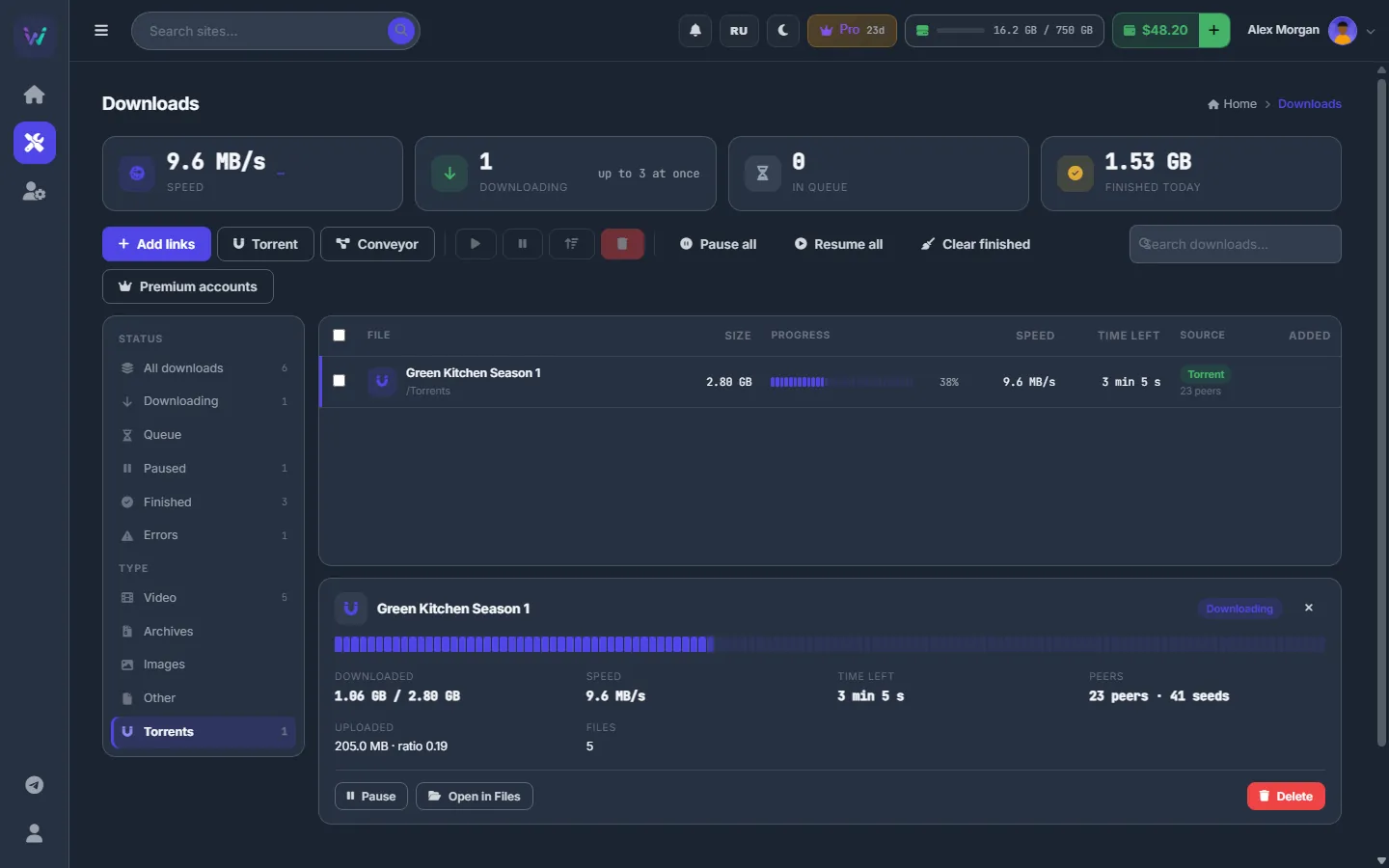
Fig. 3 A torrent downloading into the storage, with peers, seeds and the ratio.
Where the files go
Torrent files are saved into the Torrents folder of your storage. “Open in Files” takes you there.
Limits
- One add takes up to 20 magnets, 20 .torrent links and 20 .torrent files. A .torrent file may be up to 20 MB; all torrent data of one add up to 64 MB.
- The panel fetches .torrent links itself, from public addresses only. A link that is not a torrent is refused — direct links to files belong in “Add links”.
- The chosen files must fit your free space together with your other running downloads. A paused torrent is checked again when you resume it.
- If a magnet’s metadata does not arrive, the window says “Still no metadata — peers may be offline”, and the torrent stays in the list so you can try later. After 24 hours without metadata it is marked as failed.
Costs
Torrents run on the server through a VPN and are charged from the balance: $1 per TB downloaded and $0.50 per TB seeded (uploaded to other peers). The amounts are added up per calendar month and charged once a day for what is new; the files also take storage space. If the balance reaches −$5, running torrents are paused until you top up. See What you pay for.
Troubleshooting
| What you see | What to do |
|---|---|
| “Storage quota exceeded …” on “Start download” | Untick some files or free space. Your other running downloads count too. |
| “… : not a magnet or http(s) link” or “more than 20 … at once” | Fix that line, or add the rest in another batch. Nothing is dropped silently — every line that was not added is named. |
| “Torrents are not enabled on this platform” | Torrents are temporarily unavailable on the server. Write to the support chat. |
FAQ
Does the server keep seeding?
While a torrent stays in the list it may keep seeding — the details show the amount uploaded and the ratio. Seeding costs $0.50 per TB uploaded. “Delete” stops it and removes the torrent, with or without its files.
Can the panel pick the files for me?
Yes, in the Conveyor: its download step chooses torrent files by rule — videos, the largest file or a mask. See Conveyor: all steps and their settings.